
Using TradingView with Binary.com for Smarter Trades
📊 Learn how to link TradingView with Binary.com to boost your binary options trading in Pakistan. Get tips on indicators, risk, and better decisions! 🇵🇰
Edited By
Edward Finch
Trading binary options isn't just about guesswork anymore. With the right tools, you can get a clearer picture of the market and make smarter moves. That's where TradingView steps in. It’s a platform traders across the globe turn to for charting, market data, and technical indicators, and it offers plenty that binary options traders can put to good use.
In this article, we'll break down how TradingView works specifically for binary options trading. We’ll explore its key features, show you how to use its charts and indicator tools, and talk through how to sharpen your strategy based on what the platform offers. Plus, we won't shy away from its drawbacks — every tool has limitations, and TradingView's stuff isn't one-size-fits-all. We'll finish by suggesting some alternatives or extra setups that might help fill in the gaps.

Why does this matter? Because binary options trading moves fast, and having a sturdy, reliable platform to analyze the market can make a real difference. Whether you’re an investor looking for a new twist on analysis, a trader aiming to boost your edge, or an educator wanting to explain the nuances, this guide will help you get a grip on TradingView’s value (and quirks) in the binary options arena.
So, buckle up. We'll start by looking under the hood of TradingView — what makes it tick and why it’s caught the eye of so many traders worldwide.
TradingView is a popular platform known mainly for its powerful charting tools and community-driven content. But when it comes to binary options trading—a fast-paced market where decisions must be quick and precise—how does it fit? Understanding TradingView’s role here is no small matter. Traders who rely on quick-read charts and clear signals need an efficient, reliable interface to get the job done.
In binary options trading, the goal is often to predict whether an asset’s price will rise or fall within a short timeframe. TradingView helps by offering real-time charts, a vast array of technical indicators, and the ability to customize views. This level of flexibility allows traders to spot trends or sudden price movements quickly. For example, a trader watching Tesla stock options might use TradingView’s candlestick charts combined with the RSI indicator to determine overbought conditions and make a timely call.
TradingView’s significance here stems from its balance of accessibility and advanced features, which can benefit both beginners and seasoned binary options traders.
Beyond just the charts, TradingView also provides social networking aspects, like sharing ideas and strategies, which can be particularly useful for traders looking to learn from others or test their own approaches.
To sum up, this section lays the groundwork for understanding why TradingView should be part of a binary options trader’s toolkit. It’s not just about fancy charts but practical tools that can influence decision accuracy and speed, which is crucial in the binary options landscape.
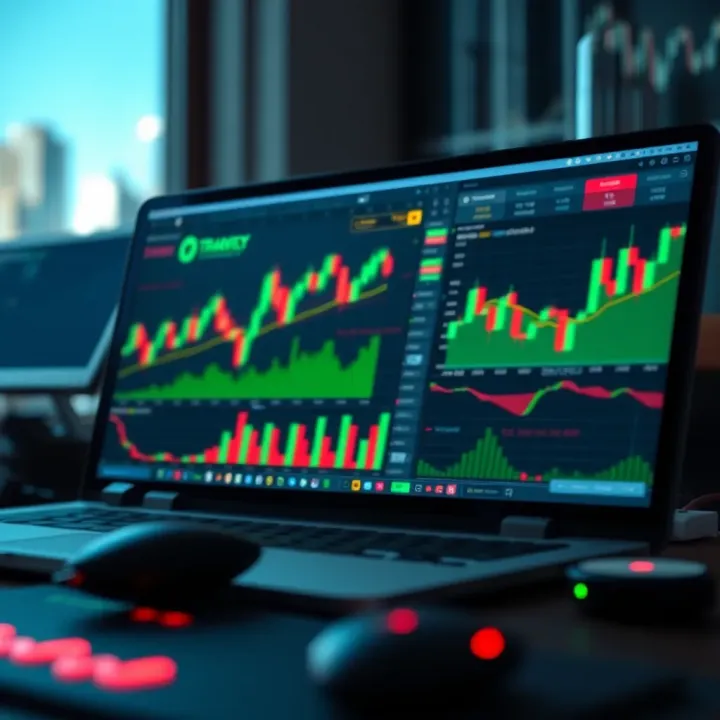
TradingView’s charting tools are a core part of what makes it useful for binary options traders. When you’re trading binary options, decisions often hinge on quick judgments about price movements in tight timeframes. That’s where having the right charts becomes a game changer. These tools let traders visualize market trends, spot patterns early, and make trades with more confidence.
The platform offers a variety of chart styles that help break down price action in ways that match different trading strategies. For example, some traders like candlestick charts because they give detailed info on price moves within a certain period, while others might prefer line charts for a simpler, more smoothed-out view. Choosing the right chart type means you get the clearest picture of market behavior that aligns with your binary trading style.
Customization is also critical. Short-term binary options, often lasting just minutes, demand rapid interpretation of data. TradingView lets you tweak chart layouts, time intervals, and display styles so you can zero in on exactly what’s happening almost in real time. A well-set-up chart can show you sudden spikes or dips that signal potential entry points before they vanish.
TradingView offers several chart types, each serving a different purpose. Candlestick charts are the most popular among binary traders because they provide a detailed snapshot — opening price, closing price, highs, and lows — all packed into one visual. This can highlight reversals or momentum shifts that matter for pinpointing short-term opportunities.
Then there are bar charts, which share some similarities with candlesticks but feel slightly less intuitive. They’re useful when you want to focus on price range within a period without the visual complexity of candlesticks. On the simpler side, line charts connect closing prices with a single line, offering an easy way to see general trends without getting bogged down.
Less common but worth mention are Heikin Ashi charts; they smooth out price swings to give a clearer trend picture, reducing noise that might otherwise distract in short bursts typical in binary trading. Knowing when to switch between these charts based on market conditions is a skill that can improve trade timing.
When trading short-term options—think minutes or even seconds—every tick counts. TradingView allows users to customize timeframes from as low as one minute to longer periods. Setting your chart to a one- or five-minute interval can help catch the tiny price moves needed for successful binary trades.
Moreover, you can add or remove technical overlays and indicators, tailoring the chart to highlight what matters most for your strategy. For instance, if you rely heavily on moving average crossovers as trade signals, you can set those indicators right on your chart and pick timeframes that show the most relevant data.
Customization isn’t just about what you add but also about decluttering. Removing unnecessary indicators or background grids helps traders avoid distractions in fast-moving markets. Using color codes for bullish and bearish candles or highlighting support and resistance zones makes quick decisions easier.
A properly customized chart on TradingView can shave precious seconds off your decision time, which is often the difference between a winning and losing binary options trade.
In short, mastering TradingView’s charting tools means you equip yourself with the ability to spot entry and exit points sooner and more accurately. That’s priceless in binary options, where timing is everything.
Applying technical indicators on TradingView is a cornerstone for anyone serious about trading binary options. These indicators turn raw price data into actionable insights, helping traders spot trends, reversals, and potential entry or exit points. With short-term expiration times often seen in binary options, understanding these tools can mean the difference between a winning trade or a loss.
TradingView hosts a variety of technical indicators that are not only widely used by binary options traders but are also easily customizable to fit individual strategy needs. The platform's flexibility allows traders to combine indicators to enhance prediction accuracy, and it also supports real-time updates which are critical in the fast-moving binary options markets.
Moving averages are simple yet powerful tools that smooth out price data to identify the direction of the trend. For binary options, traders often use the Simple Moving Average (SMA) or Exponential Moving Average (EMA) to spot when a price crosses the average line, signaling potential call or put opportunities. For example, if a short-term EMA crosses above a longer-term SMA, it might suggest upward momentum, a clue to place a call option.
RSI is valuable for gauging the speed and change of price movements, indicating overbought or oversold conditions. Traders using RSI on TradingView look for levels above 70 to identify overbought markets signaling a possible price drop, and below 30 for oversold markets hinting at a bounce back, which are useful signals for binary puts and calls, respectively.
MACD helps traders capture shifts in momentum by measuring the difference between two EMAs. In practice, MACD crossing above the signal line suggests bullish momentum, appropriate for a call option, while crossing below indicates bearish momentum, better aligned with put options. This indicator works well in trending markets and adds a layer of confirmation when used alongside others.
Bollinger Bands consist of a moving average surrounded by upper and lower bands that expand or contract based on market volatility. In binary options trading, when price touches the upper band it may be considered overbought, and the lower band oversold. These signals help traders anticipate reversals or breakouts, aiding in timing their trades more precisely.
TradingView’s alert system is a real boost for binary options traders needing quick reactions. Instead of staring at the screen all day, traders can set alerts based on indicator crossovers, price levels, or custom conditions. For instance, setting an alert for when the RSI crosses above 70 keeps you in the loop about potential reversals without missing a beat.
Alerts can trigger notifications via email, SMS, or in-app messages, which means you can be on the go and not miss a crucial trading signal. This feature is especially handy when dealing with the short expiry times typical in binary options, where timing is everything.
Using technical indicators with well-set alerts on TradingView not only sharpens your trading edge but also frees you up to focus on other aspects of your strategy or daily routine.
In summary, applying and understanding these technical indicators on TradingView equips binary options traders with a sharper toolkit for making informed decisions quickly. Combine indicator insights with alert notifications, and you build a practical, responsive system tailored to the fast pace of binary options trading.
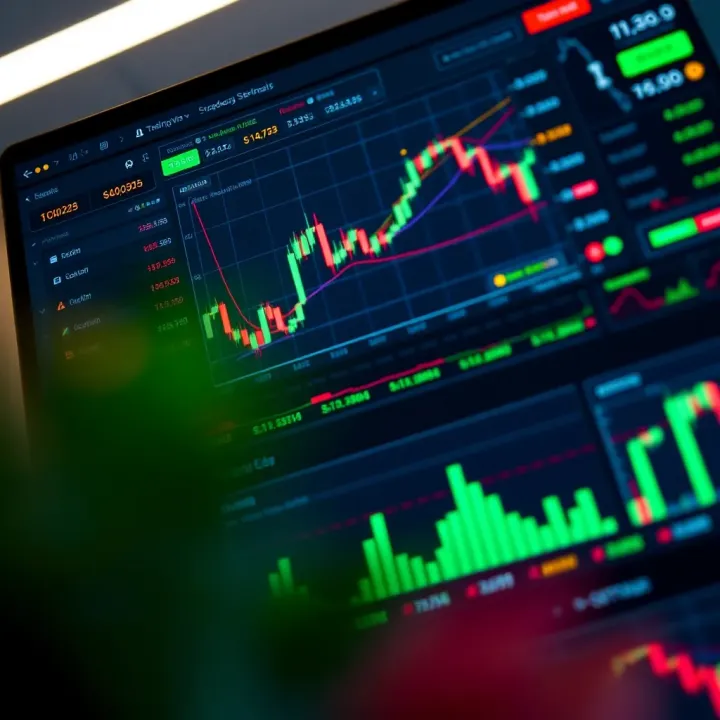
Developing strategies for binary options trading using TradingView is a smart way to bring structure and confidence to your trades. Unlike guesswork or pure gut feeling, a solid strategy helps traders cut through noise and stick to a plan backed by data. TradingView offers powerful tools that let you analyze past price actions, test ideas, and fine-tune indicators before risking real money.
Traders often focus on short time frames in binary options, so having a clear strategy tailored for quick decisions is critical. By building your approach with TradingView's charts and indicators, you can spot setup patterns that line up with your desired risk level and profit targets. This also means reducing emotional trades and reacting quickly to changing markets with tested methods.
Backtesting is like rehearsing a play before stepping on stage; it lets you see how your strategy would have performed historically without any risk. In TradingView, this involves running your approach over past price data to check its wins, losses, and overall efficiency.
Say you’re using a simple combination of the RSI and Moving Averages for entry signals. By applying these on historical data through the TradingView platform’s built-in Pine Script or strategy tester, you can assess whether your system held up during different market conditions. This isn’t foolproof—past results don’t guarantee future success—but it’s a valuable way to weed out weak ideas.
Relying on a single indicator can be like having one eye closed, especially in volatile markets common in binary options. Combining indicators helps paint a fuller picture and reduce false signals.
For example, pairing Bollinger Bands with MACD can identify both trend direction and volatility squeezes before breakout moves. When both suggest a potential market move in the same direction, the signal tends to be stronger. Another combo might use RSI to gauge overbought or oversold conditions alongside Moving Averages to confirm trends.
The key is to not overstack indicators, which only muddies decision-making. Pick a few complementary tools and test their synergy through TradingView’s extensive library.
Risk management is the safety net that keeps a trader in the game longer. Binary options are high risk by nature, so coupling your technical analysis with disciplined risk practices is essential.
Setting strict limits on how much capital to put into any one trade, sticking to trades that meet your tested criteria, and using stop-loss-like rules even if the broker doesn’t support them directly can help preserve your bankroll. For instance, if your TradingView system signals a low-confidence trade, opt out regardless of temptation.
Another tip is to keep an eye on your win/loss ratio and average payout, adjusting your strategy when results deviate from your backtested expectations. By integrating risk management principles directly into your analysis phase, you avoid reckless trades and build steadier returns.
Remember: Even the best strategy can’t beat the market all the time, but combining solid technical setups with smart risk controls keeps you trading for the long haul.
TradingView is a powerful platform favored by many traders due to its advanced charting tools and array of technical indicators. However, when it comes to binary options trading, it has its share of limitations that traders must be aware of to avoid costly mistakes. Recognizing these restrictions helps in making realistic expectations and enables traders to supplement TradingView with other tools or strategies where necessary.
TradingView wasn't specifically built for binary options trading, which means some features crucial for this market segment are missing or limited. Unlike forex or stocks, binary options depend heavily on precise timing and quick decisions, and the lack of an integrated trading interface directly linked to binary brokers is a notable shortfall. Furthermore, discrepancies in market data and occasional delays can cause confusion over entry and exit points, directly impacting profitability.
Understanding these issues is essential, as relying solely on TradingView without considering these factors can leave traders at a disadvantage. Here's a deeper look at the two major limitations binary options traders face on TradingView.
One major drawback is that TradingView does not provide a direct interface for binary options trading. While you can analyze charts and set up alerts here, you can't execute binary trades or manage your options contracts directly from the platform. This means traders have to flip between TradingView and their binary options broker's platform to place trades, which can slow down the decision-making process.
Imagine spotting a perfect call or put opportunity based on a nifty RSI crossover on TradingView but having to instantly switch platforms to place the trade. That lag might cause missing the ideal entry price. This delay is especially problematic for short-term binary options which require decisions in seconds or minutes. The absence of direct execution can lead to missed opportunities and reduced trading efficiency.
Many brokers offer their own proprietary platforms with built-in charts optimized for their specific payouts and expiry times. While these may lack the depth of TradingView's features, they compensate by offering quick trade execution. So for binary traders who prioritize speed and simplicity, the lack of a trading interface in TradingView is a significant limitation.
Another challenge with using TradingView for binary options lies in potential data lag and differences in price feeds. Binary options often use market data from brokers that may differ from the comprehensive exchanges tracked by TradingView. This can result in mismatches between what the charts show and the actual price movements on the binary platform.
For example, a TradingView chart might show an asset's price hovering around 1.2500, but the binary broker’s platform might be quoting slightly different prices because of spreads, liquidity, or delayed data. Small price differences have a big impact in binary options since payouts hinge on whether an asset closes above or below a strike price within a tight timeframe.
Even a half-second delay or a slight data inconsistency can cause a false entry signal or a missed exit point. Traders relying solely on TradingView might find their actual trade outcomes not matching the analysis, causing frustration and potential losses.
To reduce these issues, traders often combine TradingView’s detailed analysis with real-time data from their brokers or use third-party data feeds known for low latency. Being aware of this limitation encourages traders to cross-check prices before making decisions.
In binary options trading, timing and price accuracy are king. Traders should never assume that real-time on TradingView perfectly matches broker data.
While TradingView excels as a charting and analysis platform, it falls short as a complete solution for binary options due to the lack of a direct trading interface and potential data discrepancies. Traders can still gain valuable insights from it but should pair TradingView with broker platforms or other tools to effectively handle trade execution and accurate price tracking.
TradingView has earned its stripes as a powerful analytical platform, but it doesn't directly support trading binary options. That's where integration comes into play—melding TradingView's rich data and tools with actual binary options brokers to improve decision-making and execution. This step is key because, while you get fantastic charts and indicators on TradingView, the challenge lies in seamlessly translating those insights into actionable trades on your chosen binary platform.
For traders in Pakistan and beyond, understanding how to bridge this gap ensures you don't just analyze markets but trade efficiently and confidently. Integration isn’t always a walk in the park; it involves manual syncing at times or using third-party tools that connect signals from TradingView to brokers. Either way, a good setup reduces lag and the risk of missing critical entry points, boosting your chances in a fast-moving binary options environment.
The simplest approach many traders start with is manual integration. This means you monitor charts and signals on TradingView and then place trades directly on your broker’s platform. Although this might feel like old-school trading, it's often the most reliable way, especially when automation isn’t available or trusted.
Here’s how a manual method works in practice:
You set up relevant indicators or alerts on TradingView, such as an RSI crossing a certain threshold signaling a potential uptrend.
Once the alert triggers, you quickly check your broker’s platform to confirm market conditions and then place your binary option trade accordingly.
This method demands sharp timing and discipline. For example, if you're trading 5-minute expiry options, every second counts. Traders often keep TradingView and their broker’s terminal open side-by-side and train themselves to recognize signals instantly. While it sounds straightforward, the risk is human delay and the stress of executing trades manually during volatile periods.
To smooth out the hiccups of manual execution, several tools and plugins have cropped up that help bridge TradingView’s signals with binary options platforms. These usually work by capturing alerts from TradingView and converting them into trade instructions or notifications that streamline your trading process.
Popular ones include:
AutoView: This browser extension can read TradingView alerts and send commands to various brokers automatically. It works well for platforms that offer APIs accessible from browsers and is handy for traders wanting more automation without complex coding.
TradingConnector: A software that links TradingView alerts with broker APIs, allowing for semi-automatic execution or signal transmissions. It supports setting custom rules so you only execute trades that meet specific criteria.
Third-party Signal Services: Some commercial vendors compile TradingView signals and feed them into platforms specialized for binary options. They provide dashboards where you can monitor ongoing signals tied directly to broker actions.
Before using these tools, it’s vital to ensure your broker supports API connections or can interface with these plugins. Given the stricter regulatory environment around binary options, some brokers might limit this kind of integration. Always test with demo accounts first to avoid costly mistakes.
Combining TradingView with the right integration strategy can save you from blind spots in execution and turn your chart reading into real profitability—just keep in mind that the best tool depends on your trading style, risk tolerance, and broker compatibility.
In short, while TradingView doesn’t trade binary options on its own, pairing it with your broker through manual practice or automated tools can create a smart synergy. This fusion maximizes the analytical edge TradingView offers while ensuring you don't miss a beat when it’s time to place your bets in the binary market.
Knowing how to use TradingView effectively is half the battle for binary options traders. This section focuses on practical ways traders can sharpen their workflow, avoid common pitfalls, and make the most of the platform. It's about turning the theory and tools into real-world trading success.
In binary options trading, speed is often everything. You have short expiry times, and hesitation can cost you the trade. TradingView’s interface offers flexibility but might seem overwhelming at first. To stay quick and efficient, customize your workspace upfront. For example, save your favorite chart setups—say, a 5-minute candlestick chart with RSI and Bollinger Bands indicators—so they're just a click away before each session.
Don't hesitate to leverage TradingView's alert system. Set alerts for key technical levels on your charts, like a moving average crossover or RSI hitting oversold territory. This way, instead of constantly staring at screens, you get notified right when the signal appears. Imagine you’re watching EUR/USD for a short burst trade; catching that RSI bounce timely could make the difference between profit and loss.
Also, consider using keyboard shortcuts for common actions like switching between chart intervals or adding indicators. It saves valuable seconds when every moment counts. Remember, the aim is to create a streamlined workflow where your attention stays on market moves rather than fiddling with settings.
One common trap is overloading your charts with too many indicators, hoping to get an edge. This often leads to confusion rather than clarity. For instance, packing a chart with RSI, MACD, Stochastic Oscillator, and multiple moving averages can send mixed signals instead of straightforward ones. Stick to a few trusted tools that you understand well, and use them consistently.
Another error is ignoring the limitations of chart data timing. Binary options often require ultra-precise timing, but some TradingView data feeds may have slight delays, especially on less popular assets. Always double-check with your broker’s pricing and be cautious about relying solely on TradingView’s live charts for entry decisions.
Lastly, don’t skip the habit of backtesting your strategies on TradingView before live trades. Trading on a gut feeling or a single indicator without validation can lead to quick losses. Use historical data to confirm your setups work as expected.
Quick tip: Avoid trading right after major news announcements when charts can become erratic and TradingView signals less reliable.
By following these best practices, you shape a more disciplined approach to binary options trading, building confidence and reducing the chances of costly slip-ups.
It's smart not to put all your eggs in one basket, especially when it comes to trading tools. While TradingView offers robust charting and analysis capabilities, exploring alternatives can open doors to features or interfaces better suited for binary options traders. This is especially useful because binary options often demand quick decisions and tools tailored to short-term market moves. Some traders might find other platforms more straightforward or better aligned with their trading style and goals.
Several charting platforms compete with TradingView, each bringing something different to the table. For instance, MetaTrader 4 (MT4), widely known for forex but adaptable to binary options, offers strong indicator support and a large library of custom scripts. While it’s not cloud-based like TradingView, MT4 shines with its Expert Advisors (EAs) and automated trading possibilities. However, its interface can be a bit dated and overwhelming for beginners.
Then there’s Thinkorswim by TD Ameritrade, which includes powerful charting tools with in-depth technical studies and a built-in options tradingdesk. It provides real-time data and complex options analytics but is mostly geared towards US traders and requires a funded account, which may not suit everyone.
NinjaTrader focuses on futures and forex primarily, but its advanced order management tools and extensive chart customization options are worth mentioning. It offers a solid environment for strategy development and testing. However, its learning curve is steeper, and free features are limited unless you purchase their license.
When it comes to simplicity and speed, Investing.com’s charting tools might appeal to binary options traders looking for quick access to essential indicators and live quotes with zero cost or downloads.
Many binary options brokers provide their own integrated platforms that come with built-in charting and analysis tools. These are often more stripped down compared to TradingView but are designed to meet the specific needs of binary options traders.
For example, brokers like IQ Option or Olymp Trade offer native charting with commonly used indicators, as well as a quick-click interface tailored for binary trades. These platforms emphasize user-friendly design and speed, minimizing the gap between analysis and execution.
One clear advantage is that these native tools eliminate the need for manual syncing or guesswork when switching between separate charting and trading platforms, which can save precious seconds in fast markets. However, they might lack sophistication or customization options found in standalone charting software.
Remember, the choice between native broker tools and third-party platforms like TradingView boils down to a trader’s individual style, need for advanced analysis, and comfort with technology. Testing a few options can reveal which setup suits your strategy best.
TradingView stands out as a solid analytical platform for binary options traders who want to make smarter, quicker decisions. By offering customizable charts, a variety of technical indicators, and backtesting capabilities, it provides a valuable toolkit for spotting market opportunities. However, like any tool, its value depends entirely on how it’s used and integrated into a trader’s overall strategy.
TradingView offers a ton of benefits, especially its rich charting options and the vast range of indicators which can be tailored for short-term binary trades. For example, a trader can monitor Bollinger Bands in real-time to identify volatility squeezes before deciding on puts or calls. The social aspect, where traders share ideas openly, also provides fresh perspectives and new strategies that aren't usually found in textbook examples.
On the flip side, TradingView doesn't allow direct binary options trades on its platform, so users need to manually correlate signals with their broker’s interface. Data delays, though minimal, can sometimes create a slight mismatch when timing very short expiry options. Plus, interpreting multiple indicators without a clear strategy can lead to confusing signals and costly mistakes.
To truly get the most from TradingView, consistent learning is key. Start by regularly reviewing past trades with the platform's replay feature to understand what worked and what didn't. Also, keep exploring new indicators or combinations beyond the basics like RSI or MACD — sometimes blending lesser-known indicators such as the Chaikin Oscillator with moving averages can reveal hidden opportunities.
Another tip is to keep a trading journal noting how chart patterns and signals influenced your decisions. This habit forces a trader to think critically instead of blindly following indicators. Over time, it can highlight personal biases or recurring errors to correct.
Finally, don't shy away from exchanging ideas in TradingView’s community forums or joining webinars by seasoned traders. These interactions can provide fresh angles on market trends and practical nuances that textbooks don’t cover.
Good binary options trading isn't about chasing every signal; it’s about picking the right signals with patience and a tested strategy.
In short, TradingView isn't a magic bullet but a powerful companion — when combined with careful strategy, risk management, and ongoing study, it can really sharpen a binary options trader’s edge.
📊 Learn how to link TradingView with Binary.com to boost your binary options trading in Pakistan. Get tips on indicators, risk, and better decisions! 🇵🇰

📈 Combine TradingView's charts with Binary.com to boost your binary options trading in Pakistan. Learn setup steps, signal use, and smart risk tips!

Learn how to use TradingView for smarter binary options trading 📈. Discover key tools, tips, and manage risks effectively, perfect for traders in Pakistan.

📈 Discover how Pakistani traders use TradingView tools and charts to sharpen binary options strategies. Learn signal analysis and risk tips for better trades.
Based on 10 reviews