
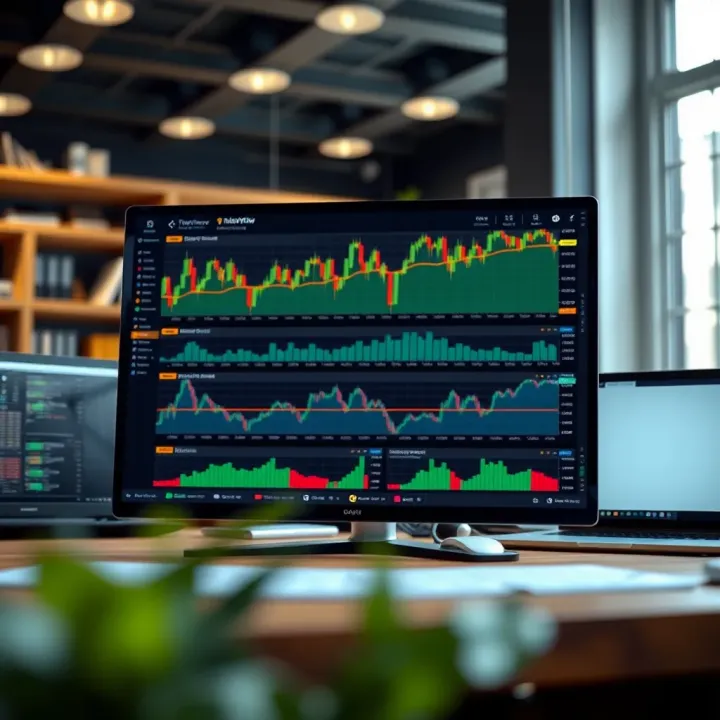
How to Use TradingView with Deriv for Better Trading
📈 Discover how integrating TradingView with Deriv boosts your trading strategies. Learn setup tips, features, and maximize your trading edge today! 💡
Edited By
Oliver Hastings
Integrating TradingView charts with Deriv opens up a whole new world of trading possibilities. For anyone actively trading on Deriv, having access to powerful charting tools can seriously sharpen your decision-making process. This guide will walk you through practical steps to connect TradingView’s advanced features directly with Deriv’s trading platform.
Why bother with this setup? TradingView is known for its wide range of indicators, customizable charts, and social trading features. On the other hand, Deriv offers a straightforward trading interface and a diverse selection of financial instruments. Bringing these two together lets you use the best of both — better data visualization matched with a reliable trading environment.

Throughout this guide, we'll cover the benefits of the integration, from enhanced technical analysis to smoother trade execution. We’ll also tackle common obstacles you might face during setup, share customization tips, and highlight key functionalities within this combined system. Even if you're comfortable using Deriv and already familiar with TradingView, this article aims to fill in gaps and boost your trading game.
Remember, the goal is not just to add fancy charts but to empower your trading strategy with clearer, smarter insights.
This hands-on article is ideal for traders, financial analysts, and educators looking to deepen their understanding of charting tools within active trading scenarios. Pakistan's growing trading community, in particular, can find value here by connecting these platforms for more informed and flexible trading choices.
Getting a grip on how TradingView meshes with Deriv is key before diving into the nitty-gritty. This integration isn’t just about slapping a fancy chart onto a trading platform; it’s about giving traders a fuller, clearer view of the market, right where they make their trades. Imagine you’re trying to catch a wave while only watching the water from half a mile away. That’s what trading without advanced charting can feel like. With TradingView inside Deriv, you get eyes on every swell and dip close-up.
This section sets the stage by explaining what each platform brings to the table and why hooking them up matters. You'll get a feel for how TradingView's detailed charts and handy tools complement Deriv's trading options, turning a decent setup into a powerful trading station. For example, a trader spotting a head-and-shoulders pattern on TradingView can jump straight into an action on Deriv without missing a beat, all in a smooth workflow.
TradingView stands out mainly for its flexible and detailed charting system. It offers various chart types—candlestick, line, bar, and even less common ones like Renko or Kagi—which help traders view market moves from different angles. Suppose you're tracking foreign exchange pairs and need to spot subtle momentum shifts; the ability to switch between these types quickly will give you an edge. These charts refresh in real-time within Deriv, ensuring the data you see reflects the current market, essential for swift decisions.
One thing traders quickly learn is that raw price data only tells part of the story. That’s where TradingView’s indicators and drawing tools come in. From simple moving averages and RSI to Bollinger Bands and MACD, these tools help you weigh market strength and possible reversals. What’s even handier is the drawing tools—trendlines, Fibonacci retracements, and support/resistance zones that you can sketch right onto the chart. For instance, if you notice a consistent support level forming, marking it out visibly means you won’t overlook it when deciding your next move.
TradingView’s community feature lets traders share charts, annotations, and strategies openly. This adds a social proof element that isn’t common on many trading platforms. Imagine scrolling through other traders’ ideas and spotting an approach that clicks with your style—you can save or tweak these ideas, then test them directly on Deriv. This real-world feedback loop helps sharpen strategies without blindly testing them in the market.
Pairing TradingView with Deriv brings analysts and traders a broader toolkit. While Deriv handles the trade execution side well, TradingView supplies advanced charting needed for in-depth analysis. For example, a trader who wants to analyze Bitcoin’s price action might use TradingView to dive into longer timeframes and complex indicators, then use Deriv to place precise trades when they spot a breakout or retracement.
Having rich data and tools in one place cuts down on guesswork and hesitation. When you spot a signal on TradingView, you don’t have to switch apps or scramble for the trading interface—Deriv lets you act fast. This smoother decision flow means you’re less likely to miss fleeting opportunities or make rushed trades based on outdated info.
While Deriv’s own charts are functional, integrating TradingView pushes the boundaries with more chart types, greater customization, and a richer selection of indicators. For traders in regions like Pakistan, where internet connectivity can be a hit or miss, being able to customize chart load settings on TradingView through Deriv helps keep the system responsive without losing analytic depth.
Combining TradingView with Deriv isn't just about features; it's about syncing analysis and execution to work smarter, not harder.
This overview builds the groundwork for what’s coming next: setting up, using features, and getting the most from this combo in your trading routine.
Getting started with TradingView on Deriv is a fundamental step for traders keen on combining powerful charting tools with a flexible trading platform. This section helps you bridge the gap between analysis and execution by explaining how to set up your account and access TradingView’s features right inside Deriv. You'll learn practical steps that turn theoretical knowledge into quick, actionable skills—perfect for those who can’t afford to waste time fumbling through complex interfaces.
Before diving into the charts and indicators, you need a properly set-up Deriv account. Creating and verifying your account isn’t just a formality; it's a security measure that protects your funds and personal info.
Account creation and verification: When you sign up with Deriv, you’ll submit personal details and verify your identity, typically by uploading a government-issued ID and proof of residence. This verification step isn’t just red tape; it unlocks full platform capabilities such as higher withdrawal limits and access to advanced trading instruments.
Accessing Deriv's trading interface: Once your account is active, logging in takes you to Deriv's clean trading interface. Here, you can explore various assets and switch seamlessly between Deriv’s own charts and TradingView-powered charts. Getting comfortable navigating this environment early on saves you from fumbling later when quick decisions matter most.
Now that your account is ready, it’s crucial to pinpoint where and how TradingView fits into the Deriv ecosystem.
Navigating to TradingView features: Inside the trading platform, you’ll find TradingView tools embedded in specific asset pages. For example, when you pick a forex pair, there’s often an option labeled something like “Open Chart” or “TradingView Chart” near the price feed. Clicking this launches the enhanced charting module.
Opening chart windows: TradingView charts typically open in a dedicated section without cluttering your main interface. You can pull up multiple charts if you're tracking more than one asset, stacking or layering them as suits your style. This is handy if you want to compare, say, EUR/USD against gold prices side-by-side.
Basic controls and layout: Familiarize yourself with TradingView’s controls offered through Deriv: zoom controls let you dive into minute-by-minute price action or zoom out for long-term trends. The panel allows you to add popular technical indicators such as Moving Averages or RSI right away. Plus, drawing tools are straightforward, so marking support or resistance lines doesn’t feel like rocket science.
Pro tip: Spend a few minutes customizing the chart layout and saving those settings as a template. This means you avoid setting up your favorite indicators every time you open TradingView within Deriv.
Getting these basics right puts you on firm ground to harness the full power of TradingView integrated with Deriv, turning raw data into clear insights and smarter trades.
When you mash up TradingView’s powerful charting tools with Deriv’s trading platform, you get more than just basic charts—you get a toolkit that really helps you read the market better. Traders, whether beginners or pros, benefit a lot from knowing the features tucked inside this integration. From picking the right type of chart to tweaking your setups for quick reads, every feature adds some muscle to your trading strategy. Let's break down the core elements that you’ll find invaluable when using TradingView charts directly on Deriv.
TradingView within Deriv offers multiple chart types to fit various trading styles. Candlestick charts are king for most traders because they show open, close, high, and low prices all in one visual, making it easier to spot market sentiment and potential reversals quickly. Line charts, on the other hand, clean up the noise by just showing closing prices over time—helpful when you want a simple overview.
Area charts blend a bit of both by shading the area under the line, which can make trend direction pop out more clearly. For example, if you’re watching forex pairs like EUR/USD, candlesticks will help you catch entry points due to their precision, while an area chart might shine for spotting overall trend direction during long sessions.
Timeframes let you zoom in or out on price action, and TradingView in Deriv doesn't disappoint. Intraday intervals—like 1, 5, or 15 minutes—are perfect for day traders hunting for quick moves. Say you’re trading indices such as the Dow or FTSE; shorter timeframes help you catch those rapid swings.
For swing traders or investors keeping an eye on bigger trends, longer timeframes like daily, weekly, or even monthly charts provide a clearer perspective without the jitters of short-term volatility. Being able to flip between these views without leaving Deriv means you stay nimble and informed.
One of TradingView’s strengths is its library of technical indicators, and in Deriv, adding them is a breeze. Whether you're looking to throw in Moving Averages for smoothing out price action, RSI (Relative Strength Index) to gauge overbought/oversold conditions, or Bollinger Bands to spot volatility, it’s all at your fingertips. For instance, a trader might combine SMA (Simple Moving Average) and MACD (Moving Average Convergence Divergence) to confirm a trend direction before placing a trade.
These tools aren't just there for show; they provide actionable insights that can fine-tune your entry and exit decisions, improving your odds in the market.
Visualizing support and resistance levels or trendlines directly on charts helps paint a clearer picture of where prices might bounce or break out. In TradingView on Deriv, you can draw these lines with simple clicks and drag moves, marking crucial zones where traders expect reactions.

For example, if you’re trading gold, placing support lines near historical lows and resistance lines near highs helps you set stop losses and profit targets more confidently. Drawing trendlines lets you see channels or wedge patterns forming, which can be handy for spotting potential breakouts before they happen.
Charts can get crowded and confusing fast, especially with multiple indicators or overlays. Being able to switch color schemes on TradingView charts within Deriv isn’t just for looks — it helps reduce eye strain and clarifies your focus. For night owls trading after hours, a dark mode cuts glare, while bright modes suit daytime sessions.
Colors can also highlight specific data, like using red for bearish candles and green for bullish ones, speeding up recognition at a glance.
Once you’ve crafted a setup that works, it’s a pain to set everything up each time. That’s where saving chart templates comes in handy on TradingView inside Deriv. You can store your favorite indicators, chart type, and colors under one template and load it whenever you log in.
Imagine you watch multiple assets—say oil, currency pairs, and cryptocurrencies—and prefer distinct setups for each. Templates let you switch quickly without rebuilding your analysis from scratch, saving you time and keeping your workflow smooth.
Pro tip: Regularly update your templates as your strategy evolves. Markets change, and so should your charts.
With these key features, combining TradingView and Deriv simplifies the complex, helping you stay focused and trade smarter. The charts don't just look nice; they work hard for you, making your trading day more manageable and less guesswork-filled.
Placing trades based on insights from TradingView within the Deriv platform is a vital step for turning analysis into action. It bridges the gap between spotting opportunities on charts and actually entering or exiting the market. This integration allows traders to react faster to signals without switching between tools, saving precious time especially in volatile markets. The ability to execute trades directly from TradingView’s chart insights on Deriv enhances efficiency and puts decision power in the hands of traders.
The flow from spotting a chart signal on TradingView to placing a live order on Deriv has been streamlined for convenience. For instance, if the Moving Average Convergence Divergence (MACD) indicator crosses over the signal line, traders can quickly set up an order reflecting this bullish signal. Deriv’s interface lets you open the trading panel right from the chart window, where you can define trade size, direction, and duration without flipping between different tabs.
This tight link means you no longer need to juggle multiple windows or lose track of sudden market moves. It’s as if your analysis and execution steps are sitting side by side, reducing reaction time and minimizing errors like clicking wrong assets or expiry times. Practically, if you notice a breakout in the 15-minute candlestick pattern, you can immediately place a call option that aligns with this move, capturing momentum more effectively.
Timely entry and exit are crucial in trading, and TradingView alerts integrated with Deriv help with that precision. Rather than staring at charts all day, you can set alerts based on price levels, indicator conditions, or custom scripts. For example, if the Relative Strength Index (RSI) dips below 30 signaling oversold conditions, an alert will notify you to consider a buy.
You can configure these alerts to trigger directly within the Deriv platform or via messages, making sure you never miss the ideal moment. This feature is particularly useful for swing traders who hold positions for several hours or days but don’t want to constantly monitor charts. Using alerts reduces stress and lets you follow a disciplined trading plan, avoiding impulsive decisions.
Deriv supports a variety of order types compatible with TradingView’s signals, giving traders flexibility in strategy execution. Common options include market orders, limit orders, and stop-loss orders. For example, after spotting a bearish divergence on TradingView, you might place a limit order to enter a short trade at a favorable price point rather than the current market price.
Stop-loss orders add a safety net by closing positions automatically at predetermined loss levels—crucial for risk management. Some traders use trailing stop orders to lock in profits by moving the stop price as the market moves in their favor. These types of orders empower traders to manage risk dynamically and adjust quickly to changing market conditions.
Keeping an eye on active trades in real time without leaving the charting environment improves situational awareness. Deriv’s interface lets you view open positions, profits, and losses alongside TradingView charts. This setup helps traders spot when adjustments are needed, such as closing a position early if momentum shifts or adding to a winning trade.
For example, during a volatile session, a trader can see a sudden price spike reflected in both their chart analysis and active position performance. This holistic view fosters quicker decision-making and can prevent losses from piling up unnoticed. Real-time tracking also helps in evaluating ongoing strategies and fine-tuning trade entries and exits for better future trades.
Efficiently moving from analysis to execution while managing risk and tracking trades in real time gives you a real edge in fast-moving markets. Deriv’s integration of TradingView tools keeps your trading workflow tight and responsive.
In summary, placing trades using TradingView insights on Deriv not only streamlines execution but also tightens the feedback loop between observing market signals and managing positions. This practical approach turns charts and indicators into actionable strategies, essential for traders aiming to stay sharp and effective.
Mastering TradingView within the Deriv platform isn’t just about knowing where buttons sit—it’s about fine-tuning your approach to fit your trading style and market conditions. Whether you’re juggling multiple assets or tailoring indicators to your strategy, these tips can make your time on the platform more productive and less frustrating. Leveraging these features smartly helps reduce noise and spot real opportunities quicker.
Importing user scripts
TradingView’s strength partly lies in its vibrant community of traders who develop custom scripts (called Pine Scripts). On Deriv, you’re able to import some of these user-created custom indicators, giving you access to tools that might not be available by default. This means if there’s an indicator tailored for, say, a specific momentum or volume pattern favored by your own strategy, you can integrate it directly without coding it yourself.
Practical tip: When importing scripts, it's wise to review the script’s logic or trust sources whose coding you can inspect. Avoid blindly using popular indicators without understanding what they do — not all scripts suit every trading style.
Modifying indicators
Just like t-shirt sizes vary, so do indicator settings. Most default indicators come with preset parameters, but modifying them can better align the analysis with your market approach or asset choice. For example, changing the RSI period from 14 to 7 can help detect quicker momentum changes in a more volatile asset.
On Deriv’s TradingView charts, you’re able to tweak these parameters to test different setups without clutter. This flexibility empowers you to personalize your charts for signals that resonate with your strategy instead of generic defaults. The process usually involves opening the indicator setting tab and adjusting inputs according to what you want to highlight.
Monitoring several assets simultaneously
Market moves don’t happen in isolation, and keeping tabs on multiple assets is vital to spot trends or correlations. TradingView on Deriv allows opening several charts side-by-side, which means you can track forex pairs, indices, or commodities all at once without flipping screens.
For instance, if you’re trading USD/PKR and want to watch oil prices as well, placing them next to each other helps catch moves that might affect your trade decision. This setup avoids the tedious back-and-forth and gives you a clear visual of how different assets behave in real time.
Efficient workspace setup
Packing too much into one workspace can backfire, making your trading desk a mess of overlapping windows and confusing setups. Deriv lets you save multiple chart layouts tailored to different strategies or watchlists, which means you can switch between setups swiftly.
A smart workspace is tidy, with charts set to preferred timeframes, indicators, and color schemes that make sense at a glance. Regularly cleaning up unused layouts and grouping related assets means your platform stays nimble. This can save seconds in fast markets when each moment counts.
Remember, the goal isn’t just to have a powerful toolkit but to use it in a way that supports clear, confident trading decisions. Custom scripts and multiple charts are tools — how you arrange and tweak them is what truly makes them valuable.
By integrating these tips, you’ll not only streamline your workflow on Deriv’s TradingView integration but also sharpen your edge in the markets you trade every day.
While TradingView’s integration with Deriv brings powerful tools together for traders, it’s not without its hiccups. Understanding the challenges helps avoid frustration and sets realistic expectations. For instance, a laggy interface or missing features compared to the full TradingView platform can sometimes disrupt analysis or trade execution.
This section explores key pain points such as slower data feeds, platform responsiveness, and missing functionalities. Knowing these limitations enables traders to adapt their strategies and workflows accordingly, ensuring smoother trading sessions despite the quirks.
Slow data feeds can seriously throw off trade timing, especially in fast-moving markets like Forex or crypto. When price updates delay or charts load sluggishly, it’s tricky to catch the right entry or exit points. On Deriv, you might notice occasional lag during high traffic periods or unstable internet connections, affecting TradingView charts.
To minimize this, make sure your internet speed is solid—ideally above 10 Mbps—and close unnecessary apps hogging bandwidth. Also, clearing your browser cache regularly can speed up data loading. If problems persist, switching between different internet sources (like mobile data versus Wi-Fi) may help identify the bottleneck.
Slow data feeds don’t just waste time; they can lead to missed opportunities or poor trade decisions. Staying alert to connectivity issues is vital.
Sometimes, platform responsiveness dips, making chart tools or order placement feel sluggish. This can grow frustrating during volatile hours when rapid adjustments are needed. The cause often lies in browser memory overload or running several charts at once without optimizing workspace layout.
To boost responsiveness:
Limit the number of open charts and indicators
Use modern browsers like Chrome or Firefox, updated to the latest versions
Disable browser extensions that interfere with scripts
Refresh your Deriv session after prolonged use
These steps help keep the trading interface nimble, allowing more confident and timely decisions.
TradingView on Deriv offers most essentials but lacks a few advanced features found in TradingView Pro or Premium versions. For example, certain custom scripts, extensive backtesting tools, and advanced social trading functionalities aren’t fully accessible.
Traders who rely heavily on these might find the Deriv setup limiting. Additionally, the quantity of simultaneous alerts is capped, which could be a hurdle if you monitor multiple instruments using various indicators.
Being aware of these gaps upfront prevents surprises when a favorite tool just won’t work.
Luckily, there are ways to work around these limitations. Instead of depending on custom Pine scripts, traders can use built-in indicators combined smartly to approximate similar analysis. Deriv’s alert feature, though limited, can be supplemented with external notification apps to stay updated.
For backtesting, manual note-taking and recording trades outside the platform can help until more comprehensive tools become available. Also, using multiple simple charts side by side helps to cross-check signals manually.
Thinking creatively about integrations improves your trading game even when some features are missing.
By accepting these challenges and preparing practical fixes, traders can still benefit greatly from the combined strength of TradingView charts within the Deriv environment.
When integrating TradingView with Deriv, it's tempting to jump right into charting and trading without thinking much about security and privacy. But these aspects are crucial, especially since you’re dealing with sensitive financial data and personal information. Without solid protections in place, even the sharpest analysis can be undermined by data breaches or fraud. Making sure your trading environment is secure lays a solid foundation for focusing on strategies and not worrying about potential threats.
How data is managed: Both Deriv and TradingView take data management seriously. Deriv uses encrypted servers to store user data and employs SSL protocols to secure data transmission. This means when you log in or place trades, your information travels through a guarded pathway, reducing the risk of interception. TradingView, meanwhile, stores chart setups and user preferences securely within its cloud infrastructure, ensuring your analysis doesn’t vanish when you switch devices.
For example, if you're customizing your trading dashboard across devices—say a laptop at home and a mobile phone on the go—this cloud syncing keeps your workspace consistent without exposing it to hackers. Still, it’s wise to keep your passwords strong and enable two-factor authentication wherever possible to layer defenses.
User privacy practices: Both platforms have clear privacy policies outlining how they collect and use user data. Deriv collects personal info primarily for regulatory compliance and security checks, storing it securely and limiting access. TradingView collects usage data mostly to improve user experience, like knowing which indicators are popular or which chart layouts users prefer. Neither platform shares your private financial info or trading history with third parties without your explicit consent.
A practical tip: Regularly review your privacy settings on both platforms to control notifications, data sharing, and cookies. This helps you stay in charge of your information and avoids unwanted data leaks.
Avoiding scams and phishing: One of the biggest dangers in online trading is falling prey to scammers disguised as legitimate platforms or signals providers. When trading through Deriv integrated with TradingView, always access the platform through official links or apps. Phishing attempts often mimic these login pages to steal your credentials.
Watch out for unsolicited messages or emails promising guaranteed profits using TradingView signals; these are often scams. Legitimate alerts come through the platform’s interface, never via random emails or social media DMs. Using strong, unique passwords and enabling two-factor authentication in Deriv mitigates risks significantly.
Verifying trade signals: Relying purely on automated trade signals can be risky. Even with advanced indicators available via TradingView, it’s best to cross-check signals before taking action. For instance, confirming entry points by combining multiple technical indicators like RSI, MACD, and volume trends gives you a more reliable picture.
Also, consider backtesting strategies within TradingView charts before trusting real money. This way, you avoid jumping into trades just because a signal popped up. Remember, integrated tools are aids—not crystal balls—and human judgment remains key.
Prioritize safety by treating integrated trading tools as one component of your strategy. Protect your access credentials, verify signals prudently, and stay alert to phishing threats to maintain a secure trading environment.
When diving into the world of TradingView integrated with Deriv, many traders often face common questions that can shape their overall experience. These questions are important because they address practical issues like cost, features, and usability, which directly impact day-to-day trading decisions. Understanding these frequently asked questions helps traders avoid confusion and get the most out of the platform without wasting time or money.
For instance, questions around the free access to TradingView within Deriv or how to set up alerts can be the difference between catching a good trade or missing it entirely. This section sheds light on these concerns with clear answers backed by real cases and straightforward instructions.
Deriv offers users access to TradingView charts directly through its platform, which means you can use many TradingView features without a separate subscription. However, this isn’t a full replacement for TradingView’s standalone paid plans like Pro or Pro+. The free access within Deriv covers basic charting tools and a handful of indicators, enough for most average traders who want to analyze market movements efficiently.
If you want access to advanced features like custom indicators, multiple charts, or more extensive historical data, you’d need a TradingView subscription outside Deriv. But for many users, the bundled integration provides quite a lot out of the gate.
Free access within Deriv does come with some restrictions. For example, the number of simultaneous indicators you can use on a chart is often capped, and some advanced drawing tools or scripting functionalities aren’t available. Also, certain premium features like backtesting or using proprietary TradingView Pine scripts tend to be limited.
Understanding these limits is important because it keeps expectations realistic. If your trading relies heavily on custom scripts or very detailed historical analysis, you might find Deriv's TradingView integration a bit narrow. But for standard chart reading, pattern spotting, and typical technical analysis, it works smoothly without needing extra payments.
One of the perks of TradingView’s interface within Deriv is the ability to set alerts on price levels, indicators, or drawing tool triggers. To create an alert, you simply select the alert icon on the chart, define your conditions (like price crossing a moving average), then choose notification preferences—usually visual pop-ups or sound.
Setting alerts this way helps traders stay informed without staring at screens constantly. For example, if you’re waiting for a breakout above a resistance level, setting an alert means you can attend to other tasks until the market hits that signal.
While alerts are very useful, it’s crucial to remember they depend on your internet connection and the platform’s responsiveness. There have been occasional reports of slight delays or missed alerts during high volatility moments—nothing unique to Deriv but a factor to consider in fast-moving markets.
Traders should not rely solely on alerts for execution but as an aid. Combining alerts with manual confirmation often delivers better control. Also, keeping the platform updated and ensuring a stable internet connection can significantly improve alert performance.
"Alerts act like your trading buddy, tapping you on the shoulder when something important happens—but it's still on you to check and act fast."
By addressing these common questions, traders can step confidently into using TradingView within Deriv, maximizing their tools while knowing the boundaries. This gives a clearer picture of what to expect and how to adapt strategies accordingly.
📈 Discover how integrating TradingView with Deriv boosts your trading strategies. Learn setup tips, features, and maximize your trading edge today! 💡

Explore how to set up TradingView on Deriv for smarter trading in Pakistan 🇵🇰. Learn charting, market analysis, strategy tips, and risk management 📊💡.
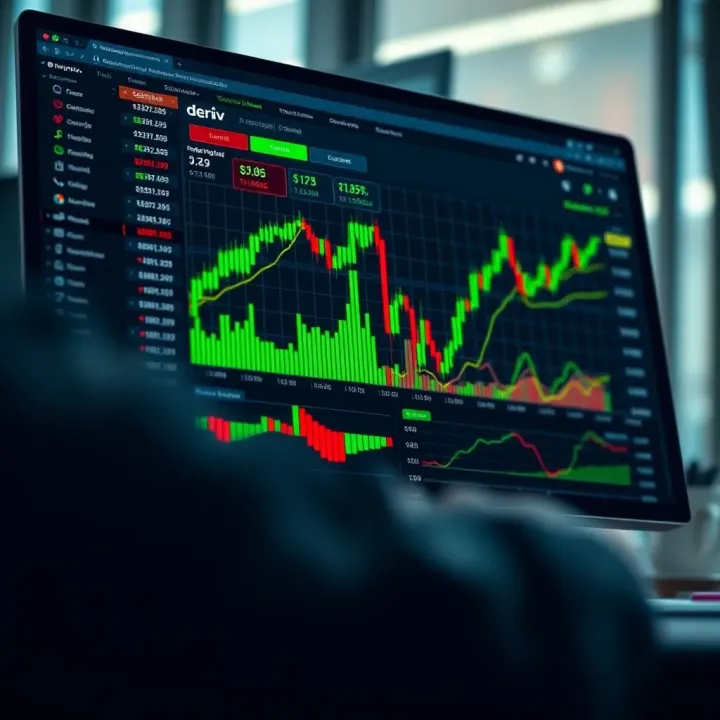
📈 Discover how to pair TradingView's smart charts with Deriv for smarter trading! Learn custom strategies, risk tips & boost your efficiency in Pakistan.
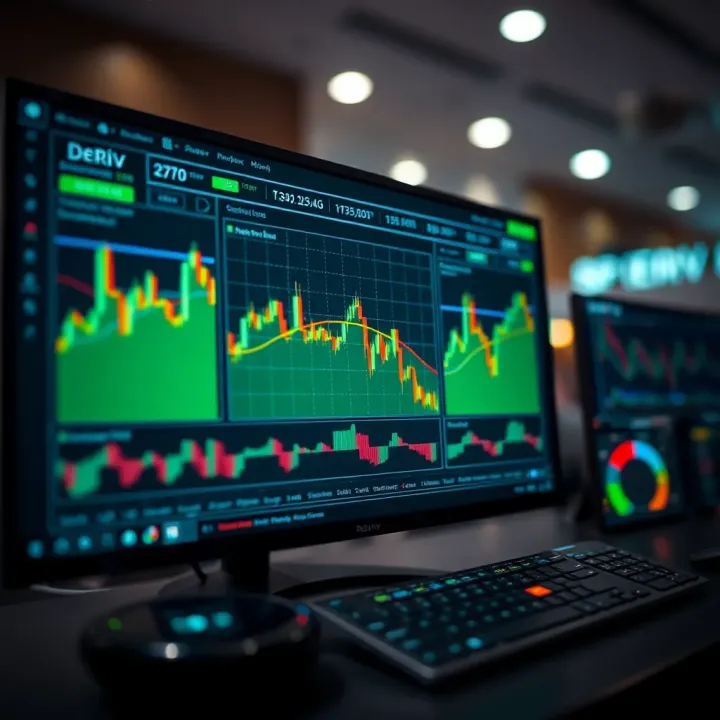
📊 Learn how to connect TradingView with Deriv to enhance your trading📈 in Pakistan. Get tips on account setup, chart analysis, indicators & strategies.
Based on 10 reviews