
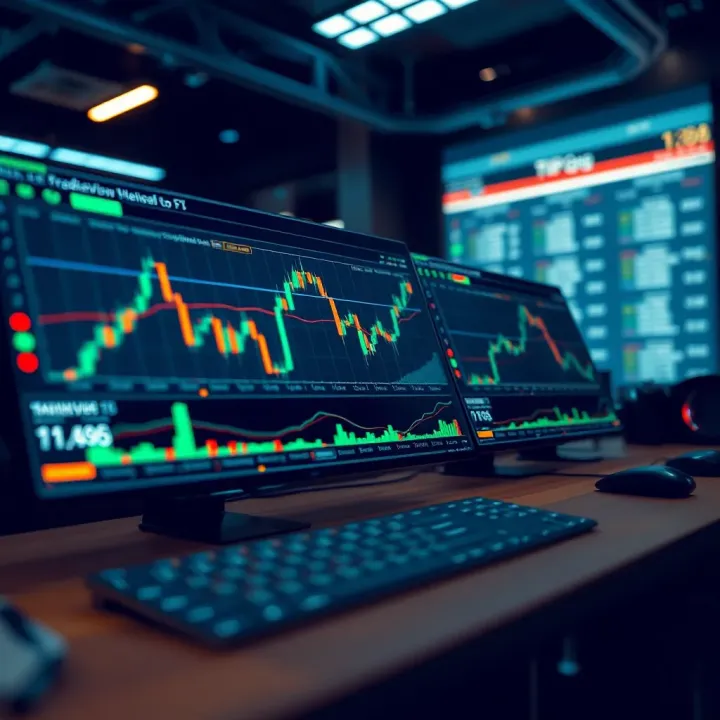
TradingView.com Guide for Pakistani Traders
Discover how Pakistani traders can use TradingView.com 📈 with tools, social features, mobile support, pricing options, and safety tips for smarter trading.
Edited By
Amelia Foster
TradingView.com has become a go-to platform for traders around the world, and Pakistani traders are no exception. With Pakistan’s markets growing and more people looking to trade both local stocks and global assets, understanding how to use a tool like TradingView can give you an edge.
In this guide, we’ll break down the main features of TradingView.com and show how you can make the most out of it. From detailed charting tools and live market data to its social networking functions that let you connect with other traders — this platform packs plenty into one place.
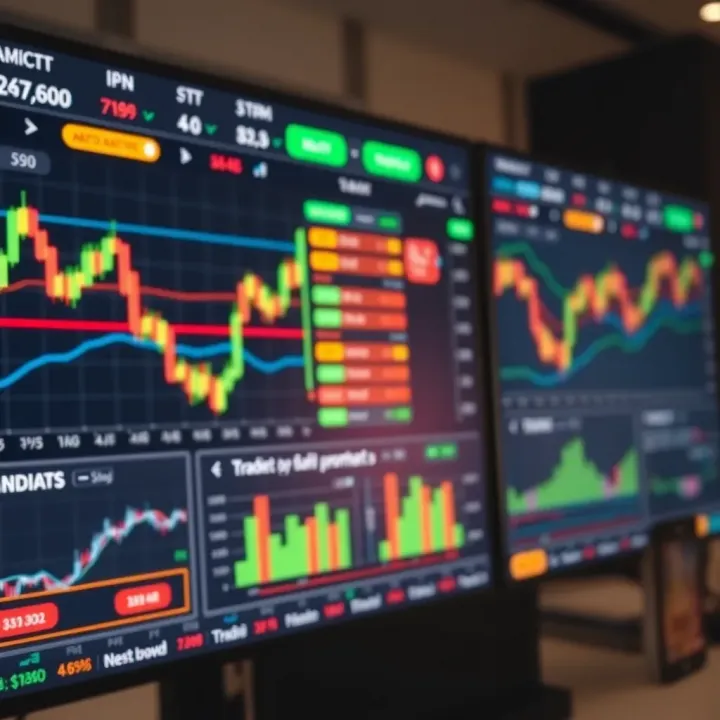
Whether you’re tracking the Pakistan Stock Exchange or following international forex pairs and commodities, you’ll see how TradingView helps analyze markets clearly and quickly. Plus, integrating your broker account means smoother, smarter trades without switching apps constantly.
This piece is written keeping in mind the needs of Pakistani traders — from beginners just dipping toes into technical analysis to experienced investors wanting to optimize their strategies. Throughout, you’ll find tips that relate specifically to trading within Pakistan’s financial environment and beyond.
Understanding your tools can make a big difference between guessing and knowing, between losing money and protecting investments. So, let’s start with the basics and then dive deeper into how TradingView can help you trade better in today’s fast-paced markets.
Next up, we’ll explore the core features of TradingView and why they matter to traders in Pakistan.
TradingView.com has quickly become a go-to platform for many traders across the globe, including those in Pakistan. Its importance lies in blending powerful charting capabilities with easy access to real-time market data and a vibrant community of traders. For Pakistani traders, this means access to global markets and analytical tools that would otherwise require multiple subscriptions or software licenses.
This section lays the groundwork for understanding TradingView’s core offerings and who benefits most from its features. Whether you’re just starting out, looking to sharpen your trading edge, or seeking ways to engage with other market participants, knowing what TradingView brings to the table is essential.
Interactive Charting Tools
TradingView’s charting is a standout feature that helps traders visualize market movements in real time. It offers a variety of chart types — from classic candlesticks and bars to Heikin Ashi and Renko charts, which can help identify trends more clearly. Pakistani traders can use these tools to spot entry and exit points with greater confidence. For instance, a trader looking at K-Electric stock might use Renko charts to filter out market noise and focus on meaningful price moves.
Beyond just the chart types, the platform provides an easy-to-use interface to draw trend lines, mark support and resistance levels, and overlay dozens of technical indicators like MACD, RSI, and Bollinger Bands all in one place. This interactivity speeds up analysis and makes it more precise, which is crucial for making quick decisions.
Real-Time Market Data
Having up-to-the-minute data is key for timely trades, especially in fast-moving markets like forex or crypto. TradingView aggregates market data from a range of exchanges worldwide, including stocks, commodities, and cryptocurrencies. For Pakistani traders, this means you can watch both the local Pakistan Stock Exchange (PSX) and international markets side by side without switching platforms.
Note that while some data streams are free, real-time quotes for certain markets require a subscription due to exchange rules. Still, even the delayed or partial data versions allow for solid technical analysis and pattern recognition. Think of it like watching a cricket match where you get instant replays for crucial moments — it helps you catch details you might otherwise miss.
Social Community Features
TradingView isn’t just about charts; it doubles as a social hub where traders share ideas, strategies, and live trade setups. This community aspect can be especially useful for Pakistani traders who are trying to understand new market trends or confirm trade signals.
By following experienced analysts or joining discussions on specific stocks like Pakistan Oilfields, novice traders can learn from experts without sitting in expensive seminars. You can even share your trade plan and get feedback, which adds a human touch to what many consider a purely technical process.
Retail Investors
Individual retail investors make up a large portion of TradingView’s user base. These users often juggle trading with day jobs and need a straightforward yet powerful tool to keep track of their investments. For example, a retail investor in Karachi might track a small portfolio of PSX shares alongside some international blue-chip stocks using TradingView’s watchlist and alert features.
This group values the platform’s low barrier to entry — the free plan offers enough to get started, and they can scale up as their strategies become more sophisticated. The ability to learn from community-shared ideas also supports growth and confidence in trading decisions.
Professional Traders
Professional traders and day-traders rely on fast, accurate data and advanced analytical tools, and TradingView delivers in both areas. These traders often use multiple screens and sophisticated setups, taking advantage of TradingView’s desktop app and multi-chart layouts for simultaneous market monitoring.
For a professional working with clients in Pakistan and abroad, TradingView provides the flexibility to combine technical analysis with broker integration, enabling direct trade execution from the charts. This cuts down execution time and removes the hassle of platform switching, which can mean the difference between catching a trade or missing it.
Market Analysts
Market analysts use TradingView to create detailed reports and forecasts based on technical patterns recognized through the platform's features. Their role often involves digesting vast amounts of information quickly and sharing insights in an understandable way.
For instance, a financial analyst writing for a Pakistani brokerage might use TradingView charts embedded with custom indicators to visualize market momentum and support levels. Their reports help guide less experienced investors or inform institutional decisions, making TradingView a crucial research tool.
Understanding who uses TradingView and what features they prioritize helps tailor your approach to getting the most out of the platform, especially if you’re trading in or following Pakistani markets.
Overall, the overview shows that TradingView offers something for almost everyone involved in trading and analysis, making it a versatile and valuable platform for Pakistani traders at all skill levels.
Understanding how to navigate TradingView efficiently is pivotal for Pakistani traders who want to make the most of their trading decisions. The interface is designed to pack a wealth of features in an accessible way, but getting comfortable with it takes some practice. When you know where to dive in — be it tweaking charts, setting up alerts, or managing watchlists — you save time and reduce the risk of missing crucial market shifts.
TradingView’s interface brings all trading essentials right at your fingertips. From the moment you log in, it offers a clean yet dynamic workspace that can be tailored to your trading style. This flexibility is especially important for Pakistani traders who may want to focus on PSX stocks, forex pairs, or cryptocurrencies with special setups.
Charts are the backbone of any technical analysis on TradingView. But before digging into patterns and trends, you first need to pick the right chart type. Choosing the right chart impacts how you spot signals and react to market moves.
TradingView provides several chart types such as line, bar, candlestick, and Heikin Ashi, each serving a distinct purpose. For instance, candlestick charts are widely favored because they offer detailed info about price movement in a given timeframe — showing open, close, highs, and lows at a glance.
Think of a Pakistani trader watching the PSX index: candlesticks help you see bullish or bearish days clearly, which is tricky with a simple line chart. On the other hand, Heikin Ashi smooths out volatility, making it easier to identify overall trends rather than erratic price swings. For beginners, sticking with candlesticks is a safe bet before experimenting with others.
Indicators are tools that crunch price or volume data to reveal potential buying or selling opportunities. TradingView offers a buffet of indicators, from the popular Moving Average Convergence Divergence (MACD) to relative strength index (RSI) and Bollinger Bands.
Pakistani traders often look for indicators that adapt well to local market conditions. For example, an RSI can help spot when a stock listed on PSX might be overbought or oversold, a handy cue before placing a trade. When you apply indicators in TradingView, it’s easy to layer multiple ones — say combining Moving Averages with RSI — to form a clearer view. Just be careful not to overload your charts; too many indicators can confuse rather than clarify.
TradingView’s strength lies in its customization. You can set up multiple charts on one screen to track a handful of stocks or forex pairs simultaneously. Let's say you’re monitoring Pakistan Oilfields Limited, Lucky Cement, and the USD/PKR pair; creating a layout with charts for each helps keep all vital info on display.
You can also save these layouts, so next time you log in, everything is just the way you set it. Add or remove indicators, alter timeframes, and drag panels to suit your workflow. This way, the interface molds to you, not the other way around.
Keeping tabs on your favorite assets and getting notified when significant price levels are hit can save both time and missed opportunities.
Watchlists on TradingView let you organize and track multiple securities in one place. For a Pakistani trader, this might mean grouping PSX stocks, forex pairs like USD/PKR or EUR/PKR, and even international assets like Tesla or Bitcoin.
You can create several watchlists for different purposes — one for long-term investments and another for intraday trades, for example. Managing these lists is simple: drag and drop to reorder, add new tickers, or remove those that no longer interest you. This targeted focus helps avoid information overload and keeps decision-making sharp.
TradingView shines with its alert feature, notifying you when a stock hits a target price, crosses an indicator threshold, or meets custom criteria you define. For Pakistani traders, this means you don't have to stare at charts all day; instead, set alerts for PSX stocks you care about and get real-time push notifications.
Alerts can be tailored — sound alerts, popup messages, emails, or smartphone notifications — ensuring you never miss a critical move, no matter where you are. Imagine you're waiting for Hub Power Company to drop to a specific price to enter; an alert makes sure you act immediately without delay.
Mastering TradingView’s interface isn’t just about knowing where buttons are — it’s about sculpting your workspace so it works smarter for the kind of trading you want to do. Especially for Pakistani traders juggling multiple markets and instruments, efficient navigation can make all the difference in spotting opportunities and managing risks effectively.
By setting up charts right, customizing layouts, handling watchlists, and using alerts wisely, you’ll be well on your way to trading with confidence on TradingView.
Technical analysis is the backbone for many traders on TradingView, especially in markets like Pakistan’s where timely insights can mean the difference between a good trade and a missed opportunity. These features let traders pick apart price action, identify trends, and make decisions based on historical data patterns rather than just gut feelings. It’s like having a detailed map when you’re exploring unfamiliar territory. For Pakistani traders, understanding and applying these tools can provide a competitive edge, helping to navigate local market quirks alongside global influences.
Moving averages are like smoothing out the noise on a shaky road. They take the average price over a specific time frame to help highlight the underlying trend. In Pakistan’s stock market, where volatility can be quite high, moving averages can filter out the day-to-day jitters and show whether prices are generally rising or falling. There are simple moving averages (SMA) and exponential moving averages (EMA), with the latter reacting faster to recent price changes—useful for spotting quicker shifts in market sentiment.
For example, traders often look at the 50-day and 200-day moving averages. When the shorter 50-day crosses above the 200-day, it’s usually a bullish sign signaling that the market might be gearing up for growth. This can help Pakistani traders spot momentum shifts before others catch on.
The RSI is a handy tool to measure whether an asset is overbought or oversold, ranging from 0 to 100. Think of it as a speedometer for price movements; when it hits above 70, the asset might be running too fast upwards, signaling a potential pullback. Below 30, it suggests the asset could be undervalued and due for a bounce.
In the context of TradingView for Pakistani traders, RSI helps avoid buying at the peak during hype or selling at a low during panic, which is common in emerging markets. Pairing RSI with volume data can reinforce these signals, enhancing decision accuracy.
Bollinger Bands add a dynamic layer over the price chart, marking volatility zones around a moving average. The bands expand and contract as volatility changes, acting like elastic rubber bands stretched wide when the market is jumpy and narrow during calm periods.
For traders tracking Pakistani stocks or forex pairs, Bollinger Bands can signal when prices are breaking out or retreating. For instance, a price riding the upper band signals strong buying pressure, but if it suddenly falls away, it might warn of a reversal. Combine this with other indicators, and it turns into a versatile tool for spotting entry and exit points.
Trend lines are the simplest yet powerful tools to spot where prices might be heading. By drawing a straight line across consecutive lows in an uptrend or highs in a downtrend, traders can visualize the market's direction and potential reversal points.
Pakistani traders can use trend lines to quickly identify buy opportunities during upward trends or spot when a downtrend might continue, helping to time trades better. A break below a support trend line, for example, often signals a shift in momentum.
Fibonacci retracements are a popular way to predict where prices might pull back before continuing their original move. By applying key Fibonacci ratios (like 38.2%, 50%, 61.8%) to recent price swings, traders get a set of levels where the market could reverse or bounce.
In Pakistan’s market, where sentiment can swing fast, these retracement levels act like natural magnets for price action. Traders might look to buy near a 61.8% retracement during a dip, expecting the trend to resume, or sell if the price repeatedly fails to cross a certain Fibonacci level.
Support and resistance levels are price points where the market tends to pause or reverse. Support acts like a floor under the price, while resistance is the ceiling it struggles to break.
Pakistani traders often mark these zones to decide where to place stop-loss orders or take profits. For example, a stock repeatedly bouncing off a support level could be a signal to buy, while hitting a resistance level multiple times might suggest it’s time to exit.
Understanding and effectively using technical analysis features on TradingView arms Pakistani traders with practical tools to read the markets better, make smarter decisions, and manage risks. These are not just theoretical concepts but daily workhorses in making sense of ever-changing market movements.
Understanding market coverage on TradingView is essential for Pakistani traders looking to diversify their portfolios beyond local stocks. TradingView connects users to a wide range of markets, offering up-to-the-minute data and analytics, making it a versatile platform for global trading opportunities.
TradingView features access to major stock exchanges worldwide, including the NYSE, NASDAQ, LSE, and Tokyo Stock Exchange. For Pakistani traders, being able to monitor global indices such as the S&P 500 or the FTSE 100 alongside local investments can offer valuable context for market sentiment and economic factors. For example, if the Dow Jones is experiencing a downturn, it could signal a cautious approach even if local stocks appear stable.
Forex trading is extremely popular globally, and TradingView offers real-time data on a wide range of currency pairs, including USD/PKR where available. This is particularly useful for traders looking to take advantage of Pakistan's currency fluctuations amid geopolitical changes or economic announcements. The platform’s forex charts and technical analysis tools help users identify trends and potential entry and exit points effectively.
TradingView tracks highly traded commodities like gold, oil, and natural gas—resources closely watched by Pakistani investors due to their impact on the economy. Additionally, the platform covers major cryptocurrencies like Bitcoin, Ethereum, and emerging altcoins. Given the growing interest in crypto among Pakistani traders, TradingView's detailed charts and community insights offer a strong edge for making informed decisions in this volatile market.
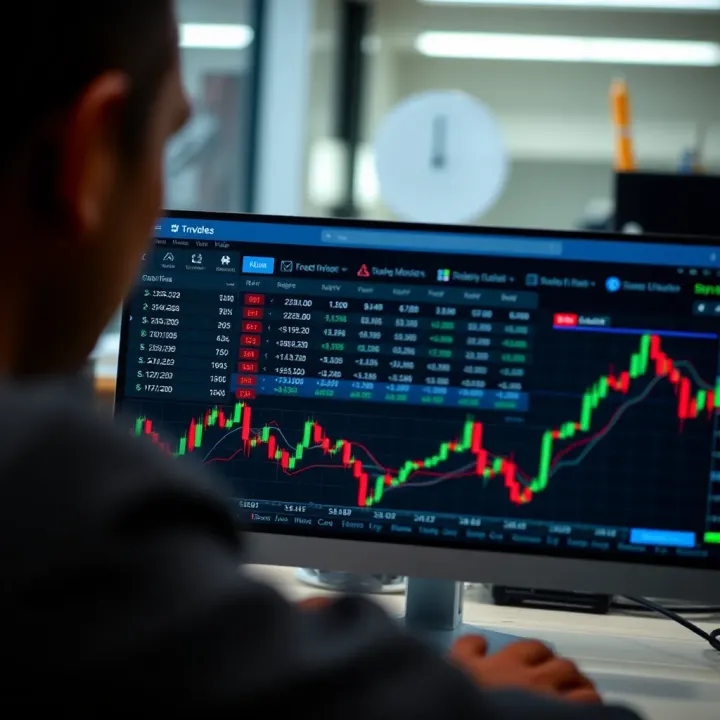
TradingView does provide some coverage of the Pakistan Stock Exchange (PSX), including data on major stocks, indices like the KSE-100, and sectors important to local investors. This feature helps Pakistani traders stay updated on their home market alongside international benchmarks. However, the depth of real-time data can vary depending on market hours and data delays.
While TradingView offers PSX data, it often comes with certain limitations such as delayed price feeds or incomplete instrument lists due to licensing restrictions. Traders should be aware of these constraints and might consider supplementary sources like the official PSX website or local broker platforms for the most accurate and timely info. Combining TradingView's analysis tools with local data feeds can create a more comprehensive trading setup.
For Pakistani traders, knowing how to navigate both international and local market data on TradingView can bridge information gaps and enhance trading strategies significantly.
In summary, TradingView's broad market coverage allows users in Pakistan to stay connected with global and domestic markets. This multi-market access combined with the platform’s analytical tools creates an environment conducive to smarter and more diversified trading decisions.
Connecting TradingView with your broker can be a real game-changer for traders looking to smooth out their workflow. For Pakistani traders who often juggle multiple platforms due to limited direct support locally, this integration improves efficiency by letting you analyse, plan, and execute trades all in one spot. Instead of checking quotes on one screen and clicking through your broker's platform on another, you get a more unified experience.
TradingView supports a decent lineup of brokers, such as Interactive Brokers, OANDA, and FXCM, which Pakistan traders often turn to for access to global markets. However, it's worth noting that not every broker accessible in Pakistan is compatible. This limits the range for direct trading from TradingView, especially for those relying on local brokers like IGI Securities or Arif Habib Limited, which currently don’t offer direct TradingView links.
Understanding which brokers integrate well can save you headaches. For example, Interactive Brokers is popular because it covers multiple asset classes and syncs smoothly with TradingView, letting you place and manage trades right from your charts. When selecting a broker, make sure they offer the APIs or plug-ins necessary for this kind of connection.
Once you've found a compatible broker, linking your account on TradingView is generally straightforward. You usually need your broker login credentials and some basic authorisation steps inside TradingView’s interface. It’s best to double-check your broker's instructions because the exact process can vary.
After linking, your portfolio and order history sync up, facilitating real-time updates. This means you won’t miss important price moves as you can trade directly from your charts without flipping between apps. It also ensures a smoother order flow, reducing delays common when switching platforms or copying data manually.
One of the biggest perks of trading directly on TradingView is the faster order execution. When you spot an entry or exit signal on your chart, clicking right there to place a trade trims down the lag time significantly. This is key especially in fast markets like Forex or cryptos, where seconds can mean the difference between profit and loss.
For instance, if the RSI indicator signals an oversold condition on USD/PKR and you want to jump in quickly, the ability to place your order without switching apps means acting in the moment, not after the opportunity has passed.
Trading directly from your charts cuts through clutter and keeps you in the zone. Instead of bouncing between your charting platform and your broker’s portal, you stay focused on the data and price action. Everything clicks together in a single interface, which reduces chances of errors or missing key setups.
Moreover, TradingView’s clean layout paired with swift order functions lets you customize your workspace to prioritize what matters. You can open multiple charts, set alerts, and execute orders fast — all from one screen. This is a big help, particularly when monitoring multiple markets like Pakistan Stock Exchange shares alongside global commodities.
Integrating your broker with TradingView isn’t just a convenience; for many Pakistani traders, it turns a sometimes clunky setup into a sleek, efficient system, helping you react faster and trade smarter.
By carefully choosing compatible brokers and linking accounts correctly, Pakistani traders can enjoy a clearer edge with faster trades and a smoother overall experience.
Cryptocurrency trading has grabbed the attention of many traders in Pakistan, largely due to its 24/7 market hours and high volatility. Using TradingView for crypto trading gives easy access to real-time data and powerful analysis tools, essential for making quick and informed decisions. The platform’s user-friendly interface combined with social features makes it a popular choice for spotting trends and monitoring market movements. This section focuses on how TradingView can enhance your crypto trading game by providing precise data, sharp charting tools, and a lively community of analysts.
TradingView supports data for a wide range of popular cryptocurrencies like Bitcoin (BTC), Ethereum (ETH), Ripple (XRP), and newer tokens such as Solana (SOL) and Cardano (ADA). This coverage means traders can monitor price action, volume, and market sentiment across the coins that matter most in the Pakistani market and worldwide. For example, if you’re watching the Bitcoin price reaction to global economic news or local regulatory changes, TradingView updates prices instantly, ensuring no delay in your analysis.
Having quick access to multiple crypto assets also lets you diversify your watchlist without jumping between platforms. You can track Bitcoin’s intraday movements alongside less known altcoins, enabling you to compare performance and make strategic decisions easily.
One of TradingView’s standout features is its in-depth charting capabilities tailored for crypto traders. You can apply indicators like MACD (Moving Average Convergence Divergence), RSI (Relative Strength Index), or Ichimoku Clouds specifically calibrated for the fast-moving crypto markets. These tools help identify entry and exit points based on momentum and trend strength.
Additionally, traders can use drawing tools such as Fibonacci retracement to spot potential price correction levels, something critical when crypto prices tend to swing wildly. For instance, during Bitcoin’s rapid rise, traders often use Fibonacci levels to plan quick profit-taking or stop-loss orders.
Because crypto trading often requires rapid reactions, TradingView’s charts update in real time with minimal lag, allowing for a seamless trading experience. You can customize time intervals from 1 minute up to monthly views to match your trading style.
TradingView hosts a vibrant community of crypto experts publishing trading ideas and analyses. By following these top analysts, Pakistani traders gain access to diverse viewpoints on market trends, risks, and breakout opportunities. For example, some analysts might focus on fundamental developments like blockchain upgrades, while others emphasize technical setups.
This community aspect means you’re not trading in a vacuum. Instead, you're tapping into a global network that often spots patterns or news impacts before they become obvious. You can easily follow, like, and comment on ideas, sharpening your own trading sense by comparing it to professionals’ opinions.
Beyond following others, TradingView encourages users to share their own ideas and setups, creating a feedback loop within the community. Pakistani traders sharing their insights on cryptocurrencies often receive valuable input or alternative perspectives that might otherwise be missed.
For example, one trader might post a chart prediction for Ethereum based on potential resistance breaks. Others can review this, add improvement tips, or point out overlooked risks. This crowd-sourced wisdom can help prevent blind spots in your strategy and build confidence in executing trades.
Leveraging TradingView’s social features in crypto trading gives you real-world insights paired with hard data, a combo that's tough to beat.
In summary, TradingView equips Pakistani cryptocurrency traders with comprehensive data tools, sharp analytics, and a peer-to-peer knowledge exchange platform. These combined features make crypto trading more accessible and informed for users aiming to navigate this volatile market.
TradingView's mobile and desktop applications play a vital role in how traders, especially in Pakistan, stay connected to markets around the clock. These apps provide the flexibility to analyze charts and execute trades no matter where you are, ensuring that opportunities aren't missed while on the move or working from a fixed setup.
By having both mobile and desktop options, users can choose according to their trading style—whether they prefer quick decisions on-the-go or a more detailed analysis with a broader workspace. The apps are designed to sync seamlessly with user accounts, maintaining consistent data and alert settings across devices.
The mobile app shines when it comes to on-the-go charting. For traders in Pakistan who might be commuting or away from their desk for a bit, being able to pull up detailed charts on a smartphone or tablet keeps them in the loop. The interface lets you swipe through different chart types, zoom in on price action, and toggle various technical indicators with just a few taps.
Imagine being at a local café in Karachi and noticing a sudden move in the Pakistan Stock Exchange market—using TradingView mobile, you can quickly analyze the trend, check key support and resistance levels, and decide whether to place a trade or set an alert. This quick access minimizes the risk of missing out on important price action.
Push notifications are a game-changer for staying alert on price movements or technical signals. Once you set a price alert—say, when the value of the PKR/USD forex pair hits a specific level—your mobile device will instantly notify you. This means there's no need to be glued to your screen all day; you can carry on with other activities and get a nudge when something important happens.
In practical terms, this feature helps manage risk and seize entry or exit points without delay. Pakistani traders often deal with volatile market sessions, and receiving immediate alerts can be the difference between catching a profitable trade or missing it entirely.
When it comes to in-depth technical analysis, nothing beats the larger screen of a desktop. Running TradingView on a desktop or laptop provides ample room to display multiple charts side-by-side, compare different assets, and customize layouts without the cramped feeling of a small screen.
For example, a day trader in Lahore reviewing the Pakistan Stock Exchange, some commodities like oil and gold, and cryptocurrencies simultaneously can arrange all these charts neatly on a high-resolution display. This broad view enhances decision-making by reducing the need to switch screens or tabs frequently.
Many professional traders benefit from using multiple monitors, and TradingView supports this well. By extending your workspace across two or more screens, you can keep one chart focused on the PKR index, another on technical news feeds or trading ideas, and yet another dedicated to integrating broker data or order entry.
This setup is practical for Pakistani traders juggling local and international market data. For instance, while monitoring Pakistan Stock Exchange developments, they can simultaneously keep an eye on the forex market from New York or commodities from Dubai. The multi-monitor approach reduces toggling between windows and streamlines the trading process.
Investing in a solid set-up with desktop TradingView gives you an edge through better organization and quicker analysis—just what active traders and financial analysts need in Pakistan’s busy markets.
In summary, both the mobile and desktop TradingView apps have distinct advantages that cater to different trading contexts. Mobile offers convenience and timely alerts; desktop provides a richer workspace and multitasking capabilities. Pakistani traders should consider using both, depending on their trading style and daily routine, to maximize effectiveness and responsiveness in their market activities.
When using TradingView, the choice between free and premium plans can make a noticeable difference, especially for Pakistani traders who need reliable tools and timely data to make smart decisions. Understanding what each plan offers helps you pick the one that fits your trading style and budget without paying for extras you won’t use.
One of the biggest limits on TradingView’s free plan is the number of charts and indicators you can use simultaneously. For casual traders tracking one or two assets, this might be fine. But if you’re juggling multiple stocks or forex pairs, having only one chart per layout and just a few indicators can feel restrictive.
Paid plans—Pro, Pro+, and Premium—expand this significantly. For example, the Premium plan allows up to 8 charts per layout and 25 indicators on a single chart. This is a game-changer for those who like to compare different timeframes or use several technical signals to confirm trades. If you tend to get busy with watching multiple pairs during the trading day, upgrading could save you a lot of time flipping between tabs.
Real-time data streams are crucial if you want up-to-the-minute market prices without delay. The free plan generally offers delayed data—think a 15 to 20 minutes lag—which can be a dealbreaker for day traders or scalpers. For example, Pakistani traders following the Karachi Stock Exchange or active forex pairs like USD/PKR will benefit a lot from real-time updates to spot entry or exit points quickly.
Premium plans provide the option to subscribe to real-time market data for global exchanges and cryptocurrencies. While this often comes at an additional cost depending on the exchange, it’s an important feature that means the difference between timely actions and missed opportunities.
"If you trade forex or cryptocurrencies actively, having access to real-time feeds can literally save or lose you money."
Whether upgrading to a paid plan makes sense depends heavily on your trading habits. Beginners generally do well starting with the free plan to understand the platform basics. But if you find yourself frequently wishing you had more indicators, multiple chart views, or fewer ads, that's your cue to consider an upgrade.
Additionally, if you trade multiple asset classes—Pakistan stock market, KRW forex pairs, global stocks—handling all in one place with custom watchlists and enhanced chart layouts might justify the cost. It’s also worth considering if you use TradingView’s social community to follow or publish advanced trading ideas; premium features like publishing without ads and priority support can be helpful.
Pakistani traders should weigh the monthly subscription fees against expected benefits. TradingView prices can seem steep when converted to PKR, but compare this with the cost of missing trades due to slow data or lack of analysis tools. Many Pakistan traders find the Pro plan provides a good balance of features and costs, particularly those trading forex or following the PSX.
Consider also that you can start with shorter-term subscriptions to test features before committing. Evaluate how often you face limitations on the free plan and whether premium functionalities directly improve your trading efficiency or profitability.
In the end, the decision boils down to how much you rely on TradingView’s advanced features day-to-day. For light traders, free might be enough. But serious traders aiming to squeeze every edge in time and toolset usually find value in paid plans.
A key advantage of using TradingView.com for Pakistani traders lies in its vibrant community and rich educational resources. These features don’t just add value; they enhance how traders understand the markets, fine-tune their strategies, and stay updated on trends. In Pakistan, where access to advanced trading education may be limited, the community aspect offers a practical learning platform directly aligned with real-time market conditions.
TradingView’s public ideas and scripts make it easy to tap into a pool of shared knowledge. Traders post detailed trade setups, including entry points, stop losses, and targets, often backed by charts and indicators. For a Pakistani trader, this means you can see how others analyze the Pakistan Stock Exchange or global markets and learn from their techniques without reinventing the wheel. For example, some users share Pine Script custom indicators—a feature unique to TradingView—that anyone can apply to their own charts to improve decision-making. Using these public ideas smartly allows you to validate your trading plans or spot fresh opportunities you might have overlooked.
Beyond just observing, TradingView’s discussion forums offer a space where traders exchange questions, insights, and feedback. These forums are buzzing with conversations about specific stocks, forex pairs, commodities, or crypto markets—many tailored to regional interests, including Pakistani stocks. Engaging in these discussions can help beginners clarify doubts and pick up nuances of technical analysis from seasoned pros. For seasoned traders, forums are a good spot to test hypotheses or share market calls, helping refine skills in a community-driven environment.
TradingView’s library of video tutorials is a treasure trove for Pakistani traders looking for hands-on learning. Covering everything from setting up charts to advanced indicator customization, these videos break down complex topics into manageable lessons. Say you’re confused about how to apply Fibonacci retracement on PSX charts; a quick video guide can clarify it faster than hours of reading. The visual format suits many learners who find step-by-step demonstrations easier to digest than textual instructions.
When stuck or confused, the Help Center acts like a dependable friend. It houses detailed articles and FAQs covering common issues, from troubleshooting chart loading problems to managing alerts effectively. For Pakistani users, the Help Center can clarify platform-specific questions, such as handling time zone differences in data or linking local brokers. Even if the answer is not immediately obvious, the Help Center supports contacting TradingView’s customer service, which tends to respond promptly, ensuring smooth navigation and minimal downtime during your trading.
Engaging actively with TradingView’s community and educational resources transforms how Pakistani traders learn and adapt, making the platform not just a tool, but a partner in trading growth.
By diving into these interactive and educational aspects, you’re not just trading charts—you’re plugging into a wider ecosystem that feeds your growth with shared experiences, tested strategies, and expert guidance. This communal learning is especially valuable in a trading environment where self-education can often take a backseat to quick decisions.
When trading online, especially on platforms like TradingView.com, security and privacy aren't just boxes to tick—they're the backbone of safe trading. For Pakistani traders dealing with both local and global markets, protecting account details and personal data means avoiding headaches, financial loss, and breaches that could seriously damage one's trading activity.
TradingView stores a trove of sensitive information, from portfolio details to linked broker accounts. That’s why the platform’s security features and user-controlled privacy settings matter a great deal. Neglecting these can leave traders exposed to hacking attempts or data leaks, which is a risk no one wants.
First off, securing your TradingView account should top your to-do list. Start by setting a strong password: something unique with a mix of numbers, letters, and symbols. Avoid using passwords you’ve recycled from other sites—that’s like leaving a spare key under the doormat.
Enable two-factor authentication (2FA) immediately. This simple step adds an extra layer of protection by requiring a verification code sent to your phone or email whenever you log in from a new device. It’s a small hassle that saves a huge potential headache.
Also, regularly review active sessions in your TradingView account settings. If you see any device or location you don’t recognize, sign out remotely and change your password pronto. Finally, be cautious with public Wi-Fi networks; trading sessions on unsecured connections make you an easier target for cyber snoopers.
TradingView offers customizable privacy settings to help you control what information others can see. For example, traders can choose to keep their watchlists, chart setups, or trading ideas private or share them with the community.
For Pakistani traders, this is particularly important when dealing with sensitive strategies or proprietary indicators. Make sure to regularly check your profile and idea visibility settings. Avoid oversharing personal details beyond what’s necessary. This goes a long way in protecting you from unwanted attention or copycats.
Remember, privacy settings are your first line of defense against unwelcome eyes—don't leave them on defaults if you want to stay under the radar.
Your personal details—like your email, phone number, and linked broker accounts—are gold mines for scammers. Always keep your software updated, from your browser to any apps you use for trading. Updates patch security holes that hackers often exploit.
It’s wise to avoid storing passwords or sensitive trading documents on public or shared computers. Use password managers like LastPass or Bitwarden, which encrypt your passwords and keep them safe. Also, be judicious with sharing your trading screenshots or reports; ensure no underlying sensitive info is visible.
Scammers often prey on traders hoping for quick gains. A common trick is fake broker integration offers or phishing messages that mimic official TradingView communication.
As a rule, never click on suspicious links claiming special offers or asking for login credentials. TradingView will never ask for your password via email. Always verify broker link requests through official channels.
Keep an eye out for unrealistic promises or "too good to be true" tips posted in public forums or social communities. Cross-check any trading idea or advice before putting real money on the line. If it feels fishy, it’s better to be cautious.
Quick tip: Use official broker platforms or apps linked directly through TradingView rather than third-party services that aren’t verified.
In summary, security on TradingView isn’t just about system protection; it’s about personal vigilance. Pakistani traders who actively use these security and privacy measures greatly reduce their risk of falling victim to hacks or scams, making their trading experience smoother and more confident.
Even the most well-designed platforms encounter hiccups, and TradingView is no exception. For Pakistani traders relying on the platform to analyze markets and execute trades, being able to quickly identify and resolve common issues is a huge time saver. This section offers practical advice on troubleshooting frequent problems, helping ensure smooth chart analysis and uninterrupted trading decisions.
One of the most frustrating snags is when charts fail to load or display properly. This disrupts analysis and can throw off your entire workflow. Two key factors usually underlie chart loading issues: browser compatibility and internet connection quality.
TradingView is a web-based platform, so it depends heavily on your browser working well with its scripts and features. Commonly supported browsers include Google Chrome, Mozilla Firefox, and Microsoft Edge. Older browsers or less popular ones like Internet Explorer may pose problems, such as incomplete chart rendering or sluggish responses.
To avoid these headaches:
Keep your browser updated to the latest version—updates often patch security and compatibility glitches.
Clear your browser cache regularly; stale data can confuse the site.
Disable conflicting browser extensions, particularly ad blockers that might interfere with TradingView’s dynamic elements.
Being mindful of browser compatibility ensures charts render fully and your technical indicators behave as expected, giving you an uninterrupted view of the markets.
A slow or unstable internet connection can choke TradingView’s real-time data flow, leading to frozen charts or delayed price updates. Pakistani traders, especially in remote areas, may face bandwidth constraints or frequent disconnects.
Here’s what you can do:
Use a wired Ethernet connection if possible; it's generally more stable than Wi-Fi.
Reset your router periodically to refresh network settings and clear temporary glitches.
Avoid heavy internet usage by other devices during your trading sessions to prioritize bandwidth.
When on mobile, check signal strength and switch between mobile data providers if one consistently underperforms.
Maintaining a steady internet link is vital to keeping up with market moves and ensures your alerts and indicators work without lag.
When technical issues go beyond simple fixes, reaching TradingView’s customer support becomes essential. Knowing the correct contact methods and what response to expect speeds up problem resolution.
TradingView offers several support channels:
Email support is the primary mode for technical help. Users can submit detailed queries and receive tailored assistance.
Help center articles and FAQs provide quick pointers and solutions for common problems.
Community forums allow you to connect with other traders who might have faced similar issues.
Pakistani traders should choose the contact method that suits the urgency of their problem. For example, email works well for complex issues requiring follow-up, whereas forums can be great for quick tips.
Customer support responsiveness varies depending on your plan:
Free users might experience longer wait times, sometimes up to several days.
Paid subscribers, especially those on Pro or Premium plans, generally receive faster replies within a few hours.
Understanding these response windows helps set realistic expectations. If you face a critical problem during active market hours, trying the community forums alongside an official support ticket can double your chances of a quick fix.
Remember, being proactive and gathering relevant information—such as screenshots, error messages, and browser details—before contacting support speeds up the help process significantly.
By mastering these troubleshooting essentials, Pakistani traders can reduce downtime and keep their TradingView experience seamless and productive.
Wrapping up your journey with TradingView, it's clear that this platform isn't just another charting tool—it can be a real game-changer for Pakistani traders when used wisely. Understanding its features and matching them with your trading style paves the way for smarter decisions and potentially better returns. The secret lies in blending TradingView's global insights with the local flavor of Pakistan's markets.
TradingView shines brighter when paired with local brokers who understand the quirks of the Pakistan Stock Exchange (PSX). By linking your TradingView account to brokers like JS Global or IGI Securities, you can place orders straight from your charts, cutting down the wait and reducing errors. This combination saves time, especially during volatile market hours when every second counts.
Keep in mind that not all brokers offer seamless integration, so check if your chosen broker supports TradingView connection. This setup can streamline your workflow, letting you analyze, decide, and trade without juggling multiple platforms.
Tailoring your watchlists on TradingView helps you keep an eagle eye on PSX stocks, Forex pairs, or global commodities relevant to your strategy. For instance, creating a watchlist focused on blue-chip Pakistani stocks like Engro Corp or Habib Bank along with Forex pairs such as USD/PKR allows quick scanning without clutter.
You can set alerts specific to these watchlists too—say, a price drop triggering a buy alert on Nishat Mills—so you never miss an opportunity. This focused approach minimizes distractions and helps maintain concentration on your priorities.
TradingView offers a robust toolkit: versatile charts, a broad range of indicators, and an active community sharing trade ideas. Its easy-to-navigate interface suits traders who want depth without drowning in complexity. However, some limitations arise for Pakistani users—real-time data for PSX isn’t always fully available, and broker integrations are limited compared to larger markets.
Still, by using TradingView alongside local sources and brokers, you cover those gaps effectively. The platform's strength lies in global market access and social insights, while local brokers fill in execution and local market data.
For beginners, start small by exploring free account features, focusing on mastering chart basics and key indicators like Moving Averages and RSI. Take advantage of the community ideas to see how others analyze stocks but always test strategies in a demo or paper trading account before risking real money.
Experienced traders can benefit from premium features like multiple chart layouts and deeper data feeds, especially if dealing in global markets or crypto. Linking TradingView with a Pakistani broker for swift order execution can shave off precious seconds during fast market moves.
In essence, TradingView is a powerful companion—not a silver bullet. Combine its strengths with local knowledge and discipline to make the most of your trading efforts in Pakistan.
Discover how Pakistani traders can use TradingView.com 📈 with tools, social features, mobile support, pricing options, and safety tips for smarter trading.
📈 Discover how to use TradingView for smarter market moves! A clear guide tailored for Pakistani traders with tips on charts & indicators. 🇵🇰
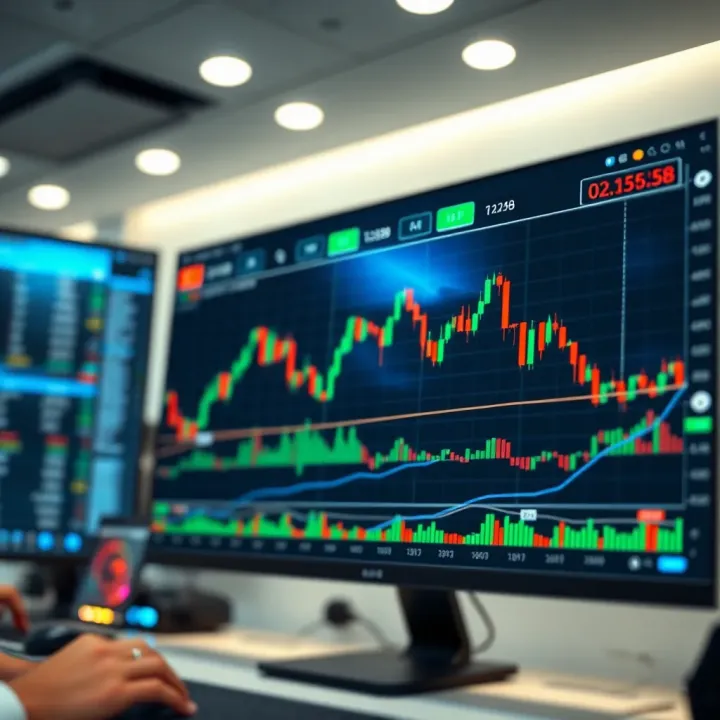
📈 Discover how TradingView boosts your trading in Pakistan! Master charts, custom tools, integrations, and community tips for smarter trades.
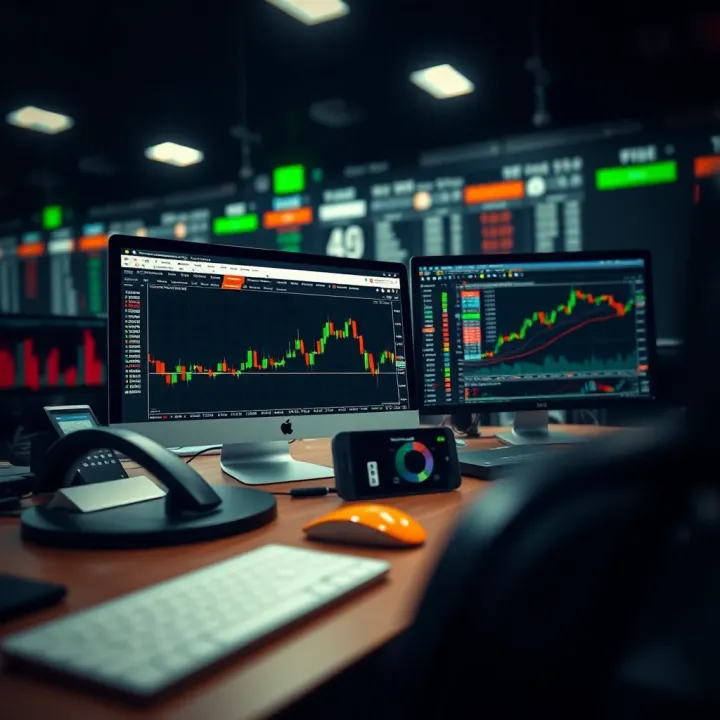
Explore TradingView.com 📈—a complete guide for Pakistani traders to master charts, technical analysis ⚙️, and smart market decisions with local insights.
Based on 14 reviews