
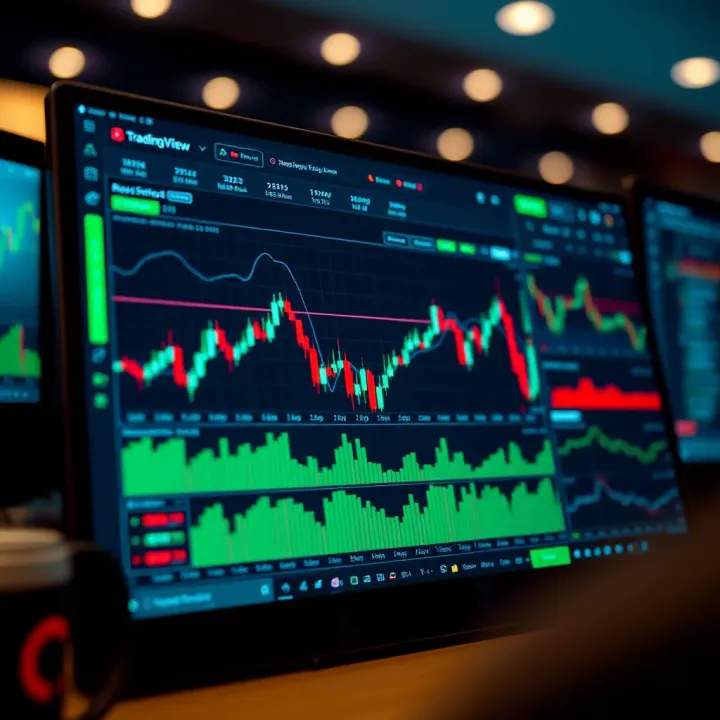
Using TradingView for Market Analysis: A Practical Guide
📈 Discover how to use TradingView for deep market analysis with real-time data, advanced charts, and tools designed for Pakistani and global traders.
Edited By
James Price
TradingView charts are an indispensable tool for anyone serious about the Pakistan financial markets, whether you're trading stocks, forex, or cryptocurrencies. They offer a blend of visual clarity and analytical depth that’s tough to find elsewhere.
In this article, we’ll break down the essentials of TradingView charts and show you how to use them effectively. From the basics of chart types to more advanced technical indicators, drawing tools, and alert setups, this guide is designed to help traders and analysts make informed decisions.
Whether you’re just starting out or have been in the game for years, understanding TradingView's features can give you a real edge. We'll also highlight practical tips tailored specifically for the Pakistani market, ensuring you’re not just learning theory but applying it where it counts.
Every good trader knows: it’s not just what you see on a chart, but how you interpret it—and that’s where TradingView shines.
Let’s dive in and unpack how this platform can become your go-to for market analysis and trading strategy development.
Getting a grip on TradingView charts is a must for anyone aiming to make sense of market moves. This section lays down the groundwork by explaining what TradingView offers and why it's worth your time, especially if you’re dealing with Pakistan’s financial markets. By understanding these basics, you’ll be better equipped to spot opportunities and interpret market signals without getting lost in the noise.
TradingView is a web-based platform that equips traders with interactive charts and tools to analyze financial markets. Think of it as a Swiss Army knife for market analysis—it’s got everything from detailed candlestick charts to various technical indicators. What sets it apart is how accessible it is: no heavy software installs, just open your browser and start exploring.
For example, a trader in Karachi can keep an eye on KSE-100 index movements alongside global commodities like oil or gold, all on the same platform. The ability to mix different assets gives a more-rounded view, helping to make informed decisions.
TradingView caters to a wide audience—from beginners trying to understand market basics to seasoned traders hunting for precise entry and exit points. Its design supports casual analysis for an investor booking a long-term position, but also intense chart monitoring for day traders.
In Pakistan, many retail investors now use TradingView to follow stocks listed on the Pakistan Stock Exchange (PSX). Teachers can use it to demonstrate real-world market movements, while financial analysts rely on it for accurate charting to inform clients effectively.
One of TradingView’s biggest draws is how easy it is to jump in. The user interface is intuitive, with drag-and-drop features and easy customization. You don’t have to be a tech whiz to set up your workspace.
For example, changing from a line chart to a candlestick view or tweaking colors for better contrast only takes a few clicks. This helps traders focus more on market analysis rather than wrestling with complex software.
If you’re trading or investing, timing is everything. TradingView provides real-time data for many markets, including local stocks, forex, and commodities which matter for Pakistani traders.
This means you can see price fluctuations as they happen, rather than waiting for delayed reports. For instance, when the oil price jumps due to global events, a trader can react quickly by checking live feeds, rather than depending on news afterward.
Another powerful aspect of TradingView is its community. Traders, analysts, and investors from all over the world share their charts, strategies, and ideas. This social element allows you to learn from others’ insights and avoid common pitfalls.
Suppose a Pakistani trader spots an interesting pattern on the PSX, they can publish their analysis and get feedback quickly. This peer-to-peer interaction is invaluable for growing skills and confidence.
TradingView is not just a charting tool; it’s a vibrant platform where market knowledge lives and evolves through community exchange.
Knowing these basics, you're ready to take a closer look at TradingView's specific chart types and features, setting a solid foundation for effective market analysis.
TradingView charts pack a variety of useful features that make market analysis more hands-on and accessible. For traders and investors—whether seasoned or just starting—it’s not just about seeing numbers scroll by; it's about spotting meaningful patterns and making faster decisions. Knowing the key features helps users pick the right tools at the right time, avoiding any paralysis by analysis.
For example, a Pakistani trader tracking the KSE-100 Index may quickly switch between different chart types or time intervals to get a clearer sense of whether a recent dip is a buying opportunity or just noise. These features help clean up the clutter and focus on what's relevant.
Candlestick charts are the bread and butter for many traders because they offer a snapshot of price action within a specific time frame. Each candle shows the opening, closing, high, and low prices, making it easier to spot momentum shifts or reversals. Pakistani traders often rely on these to identify support and resistance levels, helping them decide when to enter or exit a trade.
Their visual nature means you can quickly spot patterns like 'doji' or 'hammer,' which flag potential market hesitation or reversal points. Candlesticks offer far more detail than simple line charts, helping traders avoid second-guessing their moves.
Line charts strip down the complexity and just connect the closing prices over time. While they don’t show the highs, lows, or opening prices, they are handy for getting a general sense of trend direction or for doing quick checks on longer-term movements.
Think of the line chart as a map’s outline—less detailed but clearer when you just want to see the overall shape or direction. Investors tracking long-term stocks or indices in Pakistan may prefer this cleaner look to avoid getting bogged down with short-term volatility.
Bar charts fall somewhere between candlesticks and line charts. Each bar displays the open, high, low, and close, but in a more straightforward vertical and horizontal line format. For traders who want the same detailed price action as candlesticks but prefer a less colorful, more utilitarian look, bar charts fit the bill.
They’re especially useful for spotting volatility spikes or deciding if a market is trending or range-bound—a crucial distinction for strategy decisions.
Heikin Ashi charts smooth out price action to filter market noise, making trends easier to spot. Unlike traditional candlesticks, they use a modified formula that averages prices, so candles reflect trends more clearly and reduce whipsaws.
This feature is particularly helpful for traders dealing with volatile commodities like wheat or oil, where price swings can be wild. By focusing on the general trend, Pakistani traders can stay in positions longer and avoid getting shaken out by short-term price spikes.
TradingView offers a broad spectrum of time frames—from as quick as 1-minute intervals to monthly charts. This flexibility lets traders analyze the market on their own timetable. Day traders might stick to 5 or 15-minute charts to catch swift moves, while long-term investors rely on weekly or monthly charts to understand bigger trends.
For instance, a forex trader in Karachi may watch 1-minute charts for scalping opportunities during volatile sessions but switch to daily charts to catch the broader trend in USD/PKR pairs.
If preset intervals don’t fit a trader’s style, TradingView lets users create custom time frames. This can be a game-changer for those who want to monitor very specific market rhythms or experiment with unique trading strategies.
A trader analyzing Pakistan’s futures market might set a 7-minute interval to capture price movement details that don’t show up in standard 5 or 10-minute charts. Custom intervals allow more tailored, nuanced views which can be the difference between missing and catching the next big move.
Understanding and using these chart types and time frames effectively is essential for making confident decisions, keeping analysis sharp without drowning in data noise.
Technical indicators are the backbone of market analysis on TradingView. They help traders and investors detect trends, spot potential reversals, and make informed decisions without relying solely on guesswork. For anyone who's trading in Pakistan's markets or elsewhere, understanding these tools can make a real difference in navigating price movements efficiently.
Indicators boil down complex price data into digestible signals. This means you can quickly assess whether a stock, forex pair, or commodity is overbought, oversold, or on track to break out. The beauty of using TradingView here is its smooth interface that allows layering of multiple indicators, giving you a multi-angle view without clutter.
Using indicators doesn't guarantee a slam-dunk trade, but it certainly adds an edge to your market analysis that pure intuition can’t match.
Moving averages are like your market’s moody pulse—showing smooth lines that reveal the average price over a set period. The most popular are the Simple Moving Average (SMA) and the Exponential Moving Average (EMA). SMAs give equal weight to all data points, while EMAs react more quickly to recent price moves.
For example, a 50-day EMA crossing above a 200-day SMA often signals a bullish trend, which traders call the "Golden Cross." Using these in TradingView helps you identify trends early and avoid jumping onto price spikes that don’t have staying power.
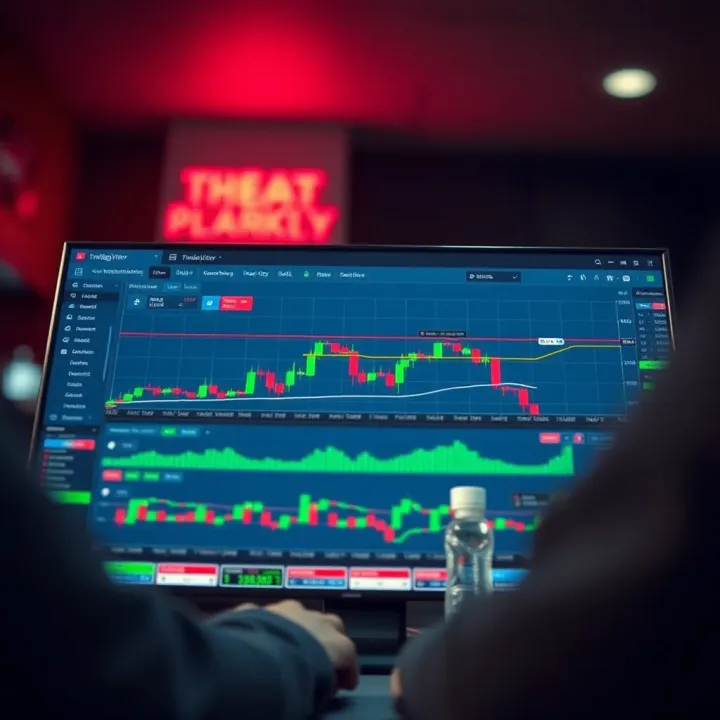
The RSI is your go-to indicator for measuring the speed and change of price movements. It ranges between 0 and 100, typically flagging readings above 70 as overbought and below 30 as oversold. This can warn you about possible reversals.
In TradingView, pairing RSI with volume data provides a fuller picture — for instance, high RSI reading accompanied by declining volume might show weakening momentum.
MACD strips down momentum into a visual tool, showing the relationship between two moving averages. It plots a MACD line and a signal line; when the MACD line crosses above the signal line, it often suggests buying opportunities, and vice versa.
Pakistani traders use MACD especially well in forex and commodity markets where momentum swings can be swift. TradingView’s customizable MACD settings let you tweak periods to suit the asset’s volatility.
Think of Bollinger Bands as dynamic boundaries that expand and contract based on market volatility. They consist of a middle SMA line and two bands above and below it.
When prices move near the upper band, the asset might be overbought; near the lower band, oversold. A classic use case is spotting breakouts: when the bands squeeze tightly, it sometimes signals a sharp move is about to happen. TradingView’s clear visuals make it easy to spot these moments.
Adding an indicator in TradingView is quite straightforward. Just click the “Indicators” button on the chart toolbar, search for the desired indicator like RSI or MACD, and select it. It will instantly appear on your chart or in a separate pane below.
What sets TradingView apart here is the vast library of both standard and user-created indicators, allowing traders to experiment with less common ones or fine-tune their setups.
Once added, the real power comes in adjusting parameters. For moving averages, you might change the period from the standard 50 to 20 for short-term trends. With RSI, tweaking the length can either filter out false signals or make the tool more sensitive.
For instance, in a volatile market like Pakistan’s equities, reducing the RSI period from 14 to 7 can give more timely alerts, but risks more noise. TradingView lets you test these changes in real-time, so you can find the best combo for your trading style.
Don’t just stick to default settings blindly. Each market and timeframe can demand a different approach—customizing indicators is the secret sauce to smarter trading.
In sum, technical indicators on TradingView let you slice through market noise and reveal actionable clues. By learning what each indicator signals and how to tailor them, traders can build charts that act more like a smart assistant than just pretty lines.
Drawing and annotation tools are essential features in TradingView that help traders and analysts add clarity and precision to their market assessments. These tools allow users to mark key areas on charts, highlight trends, and communicate ideas effectively. For any serious market participant, mastering these tools means turning raw data into actionable insights, whether you’re tracking Pakistan Stock Exchange trends or global forex movements.
Trendlines are among the simplest yet most valuable tools in a trader’s kit. Drawing a trendline involves connecting two or more significant price points on a chart, usually highs or lows, to depict the general direction of the market. For example, in analyzing the price movement of OGDC shares, a trendline can help identify whether the stock is in an uptrend or downtrend, guiding entry and exit decisions. Trendlines can act as dynamic support or resistance and often signal trend reversals when broken.
Support and resistance lines mark price levels where the market has historically shown reluctance to move beyond. Support is a price level where buying interest tends to prevent further price drops, while resistance is where selling pressure caps price advances. Identifying these levels, such as a support zone at PKR 90 for a popular textile stock, helps traders spot potential bounce or breakout points. Careful placement of these lines on TradingView charts can simplify complex price action into readable signals.
Fibonacci retracements are handy when you need to figure out potential bounce points during pullbacks within a trend. The tool plots horizontal lines at Fibonacci percentages (23.6%, 38.2%, 50%, 61.8%, and 78.6%) between two points, usually a peak and trough. Let’s say Pakistan’s currency pair USD/PKR surged and now starts to dip; plotting Fib retracements can highlight possible support areas where the price might stall before continuing its upward trend. Many traders rely on Fib levels in combination with other indicators to boost confidence in their trade setups.
Text labels serve as a straightforward way to add notes directly onto charts. Whether it’s reminding yourself about earnings dates, news releases, or specific entry and exit points, these labels provide useful context. For example, annotating a sudden drop in a stock due to corporate announcements or political events supports better historical analysis and decision-making. Text labels also make sharing insights within TradingView’s community more effective by clarifying the rationale behind a particular setup.
Shapes like rectangles, circles, and arrows add a visual layer to highlight significant areas or price actions on the chart. An arrow pointing upward might emphasize a breakout; a rectangle might highlight congestion zones where price consolidates, like periods before key Pakistan economic reports. These visual cues catch the eye quickly and assist traders in scanning charts faster without missing crucial information.
Drawing and annotation tools are not just about decoration—they’re practical aids that allow traders to extract meaning from market noise and to communicate their ideas clearly. Using these tools with discipline can greatly improve both your analysis and your trading outcomes.
In summary, TradingView’s drawing and annotation toolkit gives traders in Pakistan and beyond the power to break down complex market data into understandable and actionable visuals. Mastery here means quicker decisions and sharper trading edge.
Customizing charts in TradingView is a game changer for traders who want their analysis to be clear and personalized. When you're staring at charts for hours, having them set up to your liking can make spotting trends and making decisions much easier. This section dives into how you can tailor TradingView charts for your own analysis style, boosting not only efficiency but also comfort during trading sessions.
TradingView offers both light and dark modes, which might seem like a simple cosmetic choice but actually plays a big role in reducing eye strain—especially during long hours of market watching. Dark mode keeps the background black or charcoal, making colored candles and indicators pop without glaring brightness, ideal if you’re trading late into the night or in dim environments. On the other hand, light mode uses a white or light background, which can be easier on the eyes during daylight or in bright rooms.
Switching between these modes is straightforward and can be done with a single click under the chart settings. For example, if you're a day trader working through the night, toggling dark mode might help keep fatigue at bay. For those who prefer a clean look or are in brightly lit offices, light mode can improve visibility. Experimenting with these modes helps you find what suits your eyes and workspace best.
Changing chart layouts is another powerful way to customize your TradingView experience. The platform allows you to view multiple charts simultaneously, which is crucial if you track several assets or timeframes at once. For example, professional traders monitoring the Pakistan Stock Exchange might want to see daily charts of several stocks side by side or compare different timeframes quickly.
You can choose from single charts to multiple panels—up to eight charts on one screen. This flexibility helps you avoid flipping between windows or tabs, saving precious time during rapid market moves. Additionally, layouts can be saved for quick access later, meaning you can have a default setup ready for your typical trading day and switch to different layouts for weekends or market analysis sessions.
Once you've spent some time customizing your charts—adding your favorite indicators, drawing trendlines, and selecting a color scheme—you’ll want to save these setups as templates. This way, you don't have to start from scratch every time you open a new chart.
Creating reusable setups is straightforward in TradingView: after customizing your chart, you hit the “Save Template” option. Name it something descriptive like "Intraday RSI Setup" or "Long-Term View with MACD". This is especially useful for Pakistani traders using a mix of technical tools tailored to their specific trading strategies, allowing quick application of preferred layouts and indicators.
Accessing your saved templates on TradingView is just as easy. When opening a new chart, you can apply a saved template with a couple of clicks. This instantly loads all your indicators, chart styles, and drawing objects, ensuring consistency in your analysis across different assets or time frames.
For instance, if you switch between forex pairs and local equities frequently, having specific templates for each helps maintain a standardized approach, reducing errors or missed signals. This feature also supports saving time, allowing you to focus more on market decision-making rather than chart setup.
Efficient customization and management of charts in TradingView enable traders to maintain a consistent and comfortable analysis environment, which in turn can contribute to better trading decisions and less fatigue.
Both themes and templates, although small features, pack a punch in helping personalize your TradingView experience. This customization is vital for traders looking to build a steady routine and keep their analysis workflow smooth and effective.
Setting up alerts and notifications is a game-changer for traders who want to stay on top of market moves without staring at charts all day. For anyone analyzing Pakistani markets—or any global market—alerts help catch important price shifts the moment they happen. This lets you react quickly, whether you’re locking in profits or cutting losses.
By customizing alerts, you tailor TradingView to your personal trading style. No more missed opportunities because you were tied up or distracted. Instead, you get a heads-up exactly when your trading rules are met.
Creating alerts on TradingView is straightforward and puts you in control of your market watchlist. You start by selecting the asset and the specific price point or indicator value where you want to be notified. For example, if you trade PSX-listed stocks like Lucky Cement, you might set an alert for when the price crosses above a resistance level you’ve drawn.
You can decide whether to receive alerts via pop-up, email, or even SMS—handy if you’re away from your desk. This setup frees you from constant monitoring while making sure you never miss critical price actions.
TradingView offers multiple alert types suited to different trading strategies:
Price alerts: Trigger when the asset hits a specific price.
Indicator alerts: Activate when an indicator crosses a threshold, like RSI moving into oversold territory under 30.
Drawing alerts: Useful when your trendline or support level is touched.
Condition alerts: Combine several conditions, useful for more advanced strategies.
For example, a forex trader watching USD/PKR might set an indicator alert for MACD crossover to confirm momentum changes, offering an edge in fast-moving forex markets.
Integrating alerts into your trading plan lets you automate part of your workflow. While TradingView doesn’t execute trades by itself, you can link alerts to third-party platforms or brokers that support API automation. This means you can set an alert to trigger an order placement without manual intervention.
Automation cuts down on emotional trading mistakes and delays. Imagine setting up an automatic sell when K-Electric shares fall below a certain price—this can protect your investment during sudden market dips.
Real-time alerts keep you in the loop even if you’re off your computer. This immediacy is crucial for day traders or those managing multiple assets simultaneously. Receiving a timely notification on your phone can mean the difference between capitalizing on a trend or watching profits evaporate.
Moreover, staying informed means you can quickly adjust your strategy according to fresh market info, news events, or unexpected price shocks, especially in the volatile commodities sector like oil or gold trading.
By using TradingView alerts effectively, traders gain a watchdog that never sleeps, ensuring that no critical market signal gets past unnoticed.
Setting up and customizing alerts on TradingView is not just a convenience—it’s practically a necessity for traders who want to keep pace with fast-moving markets without burnout or overwhelm.
Integrating TradingView charts directly with brokerage accounts can streamline trading significantly. This connection lets traders place and manage trades without bouncing between platforms, which can save valuable time and reduce errors. For Pakistani traders and investors dealing with both local and international markets, this integration serves as a bridge to execute decisions made while analyzing charts in real time.
TradingView supports a range of brokers, but not all are available globally or in Pakistan specifically. Brokers like Interactive Brokers, OANDA, and FXCM are commonly linked, allowing for forex, futures, and equity trading. The key here is to check whether your broker supports TradingView integration. This can often be found in the broker’s support documentation or TradingView’s broker list directly.
For example, if a trader uses Interactive Brokers, they can link their account through TradingView’s interface. This connection enables them to execute trades on the same charts they analyze, which helps reduce the lag between strategy and execution.
One major advantage is speed—integrated accounts enable traders to react instantly to price changes without switching apps. Moreover, it reduces the chance of entering incorrect order information since the trade execution interface remains consistent with chart analysis.
Another benefit is convenience. Imagine spotting a breakout on your TradingView chart; with integration, you can place an order immediately without logging into a separate platform. This makes managing positions smoother and helps maintain discipline, avoiding the all-too-common mistake of hesitating due to clunky workflow.
TradingView supports various order types through its connected brokers, including market orders, limit orders, and stop orders. Each plays a distinct role in managing trades:
Market orders execute immediately at the current price and are suitable when speed is essential.
Limit orders let you set a desired price to buy or sell, ensuring you don’t pay more or sell for less than planned.
Stop orders activate trades once a certain price is hit, often used for stop-loss or take-profit strategies.
For instance, a trader might use a limit order to buy a stock only if it dips to a predetermined support level identified on the chart, ensuring precision and control.
Once trades are placed, TradingView helps keep tabs on open positions directly from the chart interface. Traders can see entry prices, current profit/loss, and adjust or close positions without leaving TradingView.
This immediacy aids active traders who rely on continuous market monitoring. For example, a day trader watching the Karachi Stock Exchange (KSE) can track multiple positions simultaneously and make quick decisions based on real-time chart movements.
Integrating your broker with TradingView creates a more connected, actionable trading experience. It trims the fat out of your workflow by bringing execution and analysis under one roof—something any serious trader benefits from.
This setup is especially practical for traders in Pakistan, where access to reliable platforms and brokers can be limited. By using TradingView alongside supported brokers, traders can harness a modern, unified system to tackle local market challenges and global opportunities alike.
Getting the hang of TradingView charts isn’t just about knowing the features—it’s about applying them smartly. Using the charts effectively can save you from costly mistakes and give you a clearer sense of where markets like the Pakistan Stock Exchange or forex might be heading. In this section, we’ll explore some practical tips that help you turn raw data into insightful analysis.
A steady routine in studying charts can shift your understanding from guesswork to more educated decisions. First, combining indicators and drawing tools is a smart way to get a fuller picture. For example, pairing Moving Averages with RSI lets you see not just the trend but also the momentum, while drawing trendlines around key support and resistance points adds visual cues to confirm signals. Say you spot a bullish crossover on the MACD; if your trendline confirms the price bounced off support, that’s a stronger case than using one tool alone.
Besides, trading isn’t a one-and-done deal—you gotta keep at it. Regularly reviewing charts means you stay updated with the latest market moves, avoiding surprises. Imagine you set a trade based on yesterday’s data—market sentiment can quickly change, especially in volatile commodity markets like crude oil or gold. Checking your charts every day, or even multiple times during active sessions, lets you tweak your plan before conditions get away from you.
It’s easy to get carried away with all the tools available in TradingView, but overcrowding charts is a trap many beginners fall into. Slapping 10 different indicators on the screen can clutter your view and confuse more than clarify. Instead, stick with a few complementary tools—such as Volume, Bollinger Bands, and Stochastics—that serve distinct purposes. This keeps your analysis sharp without turning the chart into an overwhelming mess.
Another pitfall to watch for is ignoring market context. No indicator or drawing tool works in a vacuum. Consider the broader market environment before making calls. For example, during a political event in Pakistan or a global economic report release, markets often behave irrationally for a while. If your chart shows a strong buy signal but the news points to instability, it’s wise to hold off or at least adjust your expectations. Context could include factors like regional economic policies, global oil price shifts, or currency fluctuations.
Remember, charts tell a story, but it’s up to you to read them with the right background and a clear head. Combining tools logically and reviewing regularly keeps you in sync with the market pulse, while avoiding common mistakes saves you from costly errors.
Put simply, effective use of TradingView charts is not just about tech savvy—it’s about building habits and understanding the bigger picture that moves markets. This approach makes your trading sharper and more reliable in the unpredictable world of finance.
TradingView offers Pakistani traders a powerful gateway to navigate the complexities of both local and international financial markets. In a landscape where access to reliable data and advanced tools can be limited, TradingView stands out as a resourceful platform by bridging those gaps. It provides Pakistani traders not only a broad market reach but also practical features that adapt well to the unique challenges of the Pakistani financial scene.
One of the standout benefits of using TradingView is its access to a wide variety of markets — from Pakistani equities and commodities to forex and global options. This diversity lets traders diversify their portfolios or hedge against local market volatility.
Pakistani traders focusing on local equities can track companies listed on the Pakistan Stock Exchange (PSX) with real-time updates, allowing them to spot trends and price actions as they unfold. For commodities like gold or oil, TradingView pulls live data that’s crucial for those looking to trade or invest based on global demand and supply fluctuations.
Forex trading through TradingView is especially popular given the Pakistan Rupee’s volatility against major currencies like the US dollar. Traders can access charts for currency pairs such as USD/PKR, EUR/PKR, and others which are essential for making informed decisions in foreign exchange markets.
Having these markets in one place means traders don’t have to jump between different platforms — a win for efficiency and better risk management.
TradingView isn’t just about charts and numbers; it's a social hub where Pakistani traders can connect and exchange ideas. Through discussion threads and chat rooms, they have the opportunity to engage with peers who face similar market conditions and challenges. This interaction often leads to fresh insights that might be missed when working in isolation.
For example, a trader following local energy stocks can discover others’ perspectives or recent news impacting the sector, shared in real time. This kind of community support is vital in markets like Pakistan's where timely local news can significantly impact trading decisions.
Another key advantage is the ability to learn from a wealth of shared analysis and strategies. Users across the globe upload their trading scripts, strategies, and setups, which Pakistani traders can study and adapt to their needs.
Whether it’s a unique way of combining RSI with moving averages or a more nuanced approach to Fibonacci retracement levels, these shared ideas offer practical learning moments. This dynamic exchange helps traders avoid common pitfalls and refine their techniques without starting from scratch.
Community-driven learning on TradingView empowers Pakistani traders to continuously improve by seeing real use cases applied by others worldwide.
📈 Discover how to use TradingView for deep market analysis with real-time data, advanced charts, and tools designed for Pakistani and global traders.
📈 Master TradingView with this practical guide! Learn charting, indicators & social features to boost your market analysis skills for stocks, forex & crypto.
Boost your trading skills with TradingView in Pakistan 📈 Learn step-by-step integration and custom tips for sharper market insights and smarter decisions.
📊 Discover how to use TradingView effectively for market analysis in Pakistan. Learn key features, tips, and tools that help beginners and pros trade smarter.
Based on 5 reviews